Docks and the loading area: doors, levelers, trailer parking and seals
How many dock doors you actually need (a simple count from daily truck turns), dock height and levelers, where trailers park and queue, and canopies and dock seals — the outside half of the warehouse that decides whether the inside half can work.
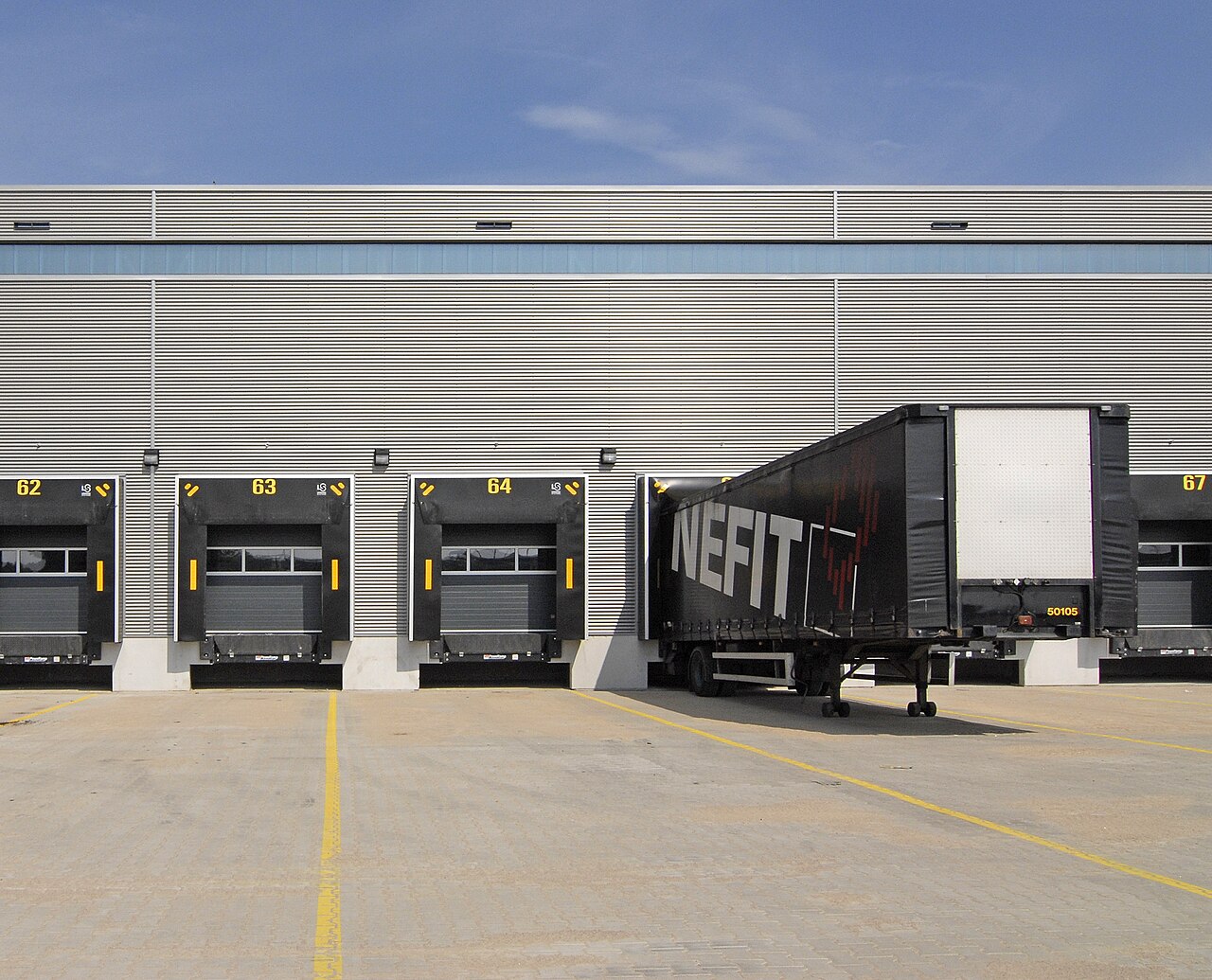
The dock is where the warehouse meets the road, and it fails differently from the inside: indoors, work queues in front of stations; at the dock, work queues as trucks. A truck waiting costs money by the hour, takes a driver out of circulation, and — the part warehouses forget — a blocked door blocks everything behind it, because the goods for that truck are staged inside, taking floor that three other orders needed. Design the dock from the truck count backwards: doors, then the apron and parking that feed them, then the details that make each door fast.
How many doors are enough: count truck turns#
A door is not occupied by “a truck”; it is occupied for a stretch of time: back in, open, load or unload, paperwork, pull out. For palletized freight with a forklift that stretch is typically 45 minutes to 2 hours; floor-loaded containers can hold a door for half a day. The arithmetic is plain: doors needed = (trucks per day × average hours at the door) ÷ working hours at the dock, then round up and add one. The “add one” is not luxury — it is the door that is being cleaned, repaired, or held by the truck that arrived with the wrong paperwork, and without it every delay cascades into the queue.
| Daily trucks | Average time at door | Dock hours | Doors (formula + 1 spare) |
|---|---|---|---|
| 8 trucks | 1 hour | 9 hours | 0.9 → 1, plus 1 spare = 2 doors |
| 20 trucks | 1.5 hours | 10 hours | 3.0 → 3, plus 1 spare = 4 doors |
| 40 trucks | 2 hours | 12 hours | 6.7 → 7, plus 1 spare = 8 doors |
The formula assumes trucks arrive spread across the day. They never do on their own — they arrive at 8 a.m. in a bunch. Appointments are how you make the assumption true: in Docklify, each truck gets a reserved time window with an appointment number (AP-000001), with carrier, driver, plate, trailer and container numbers recorded ahead of arrival, and the appointment list’s calendar view groups them by day and slot, with punctuality stats that show which carriers habitually run late.
Inbound and outbound fight over the same doors by default. If your building allows it, dedicate doors: receiving doors near the receiving and QC area, shipping doors near staging — the flows stop crossing indoors as well. Small warehouses that share doors should share them by time instead: inbound mornings, outbound afternoons, written on the appointment windows so carriers book into the right half of the day.
Dock height and the leveler: bridging truck and floor#
A standard trailer floor sits about 1.2 metres above the ground (roughly 1.1–1.3 m depending on the vehicle and its load), so a raised dock is built to about that height, and the forklift drives from dock floor onto trailer floor almost level. Ground-level doors — no raised dock — serve vans and small trucks with ramps or forklifts from the yard, but every pallet then travels up or down a slope, slowly, all day. If you sign a lease, measure the dock height yourself; “standard dock” on a listing has hidden many 15-centimetre surprises, and 15 centimetres is exactly what levelers exist to absorb.
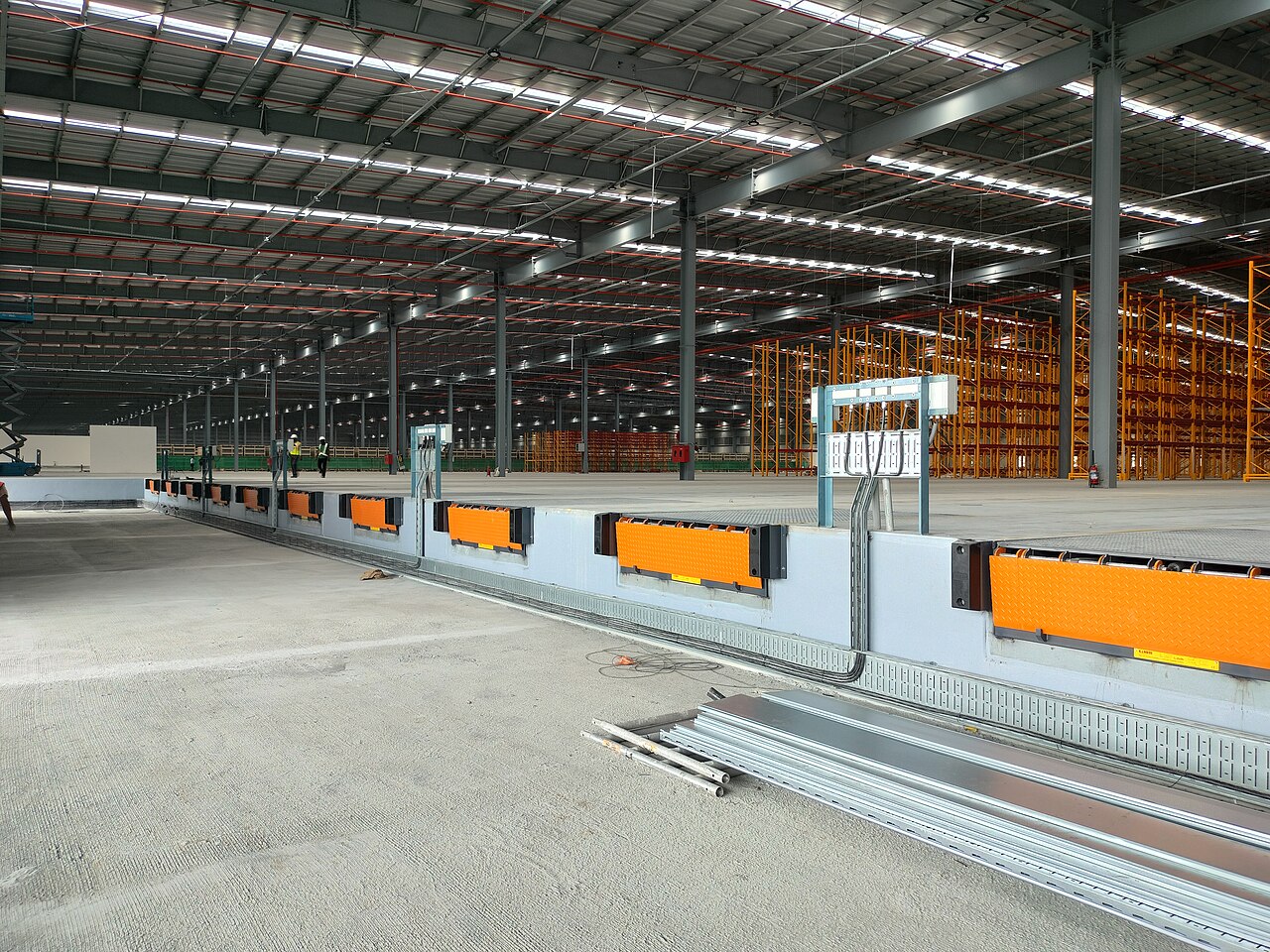
The dock leveler (loading bridge plate) is the adjustable steel plate set into the dock edge: it flips or extends onto the trailer floor and makes one smooth surface out of two heights and a gap. Pit levelers sit in a pit in the dock and handle the biggest height range; edge-of-dock plates are cheaper and fine for small, consistent fleets. Keep the safety pair with every leveler: wheel chocks or a vehicle restraint so the trailer cannot creep or pull away early, and a rule that the forklift never crosses until the trailer is braked, chocked and the leveler is down. A trailer that rolls 30 centimetres forward turns the bridge into a ramp into air.
- Check levelers like equipment, not furniture: a plate that sticks, drops or drifts under load is a door out of service waiting for its worst day. Grease, test and log them on a schedule.
- Mark the door number big, inside and out, and put the same number on the staging lanes that feed it. A driver, a picker and a checker should all be able to say “door 6” and mean the same square of concrete.
Trailer parking and the queue: the yard is a waiting room with rules#
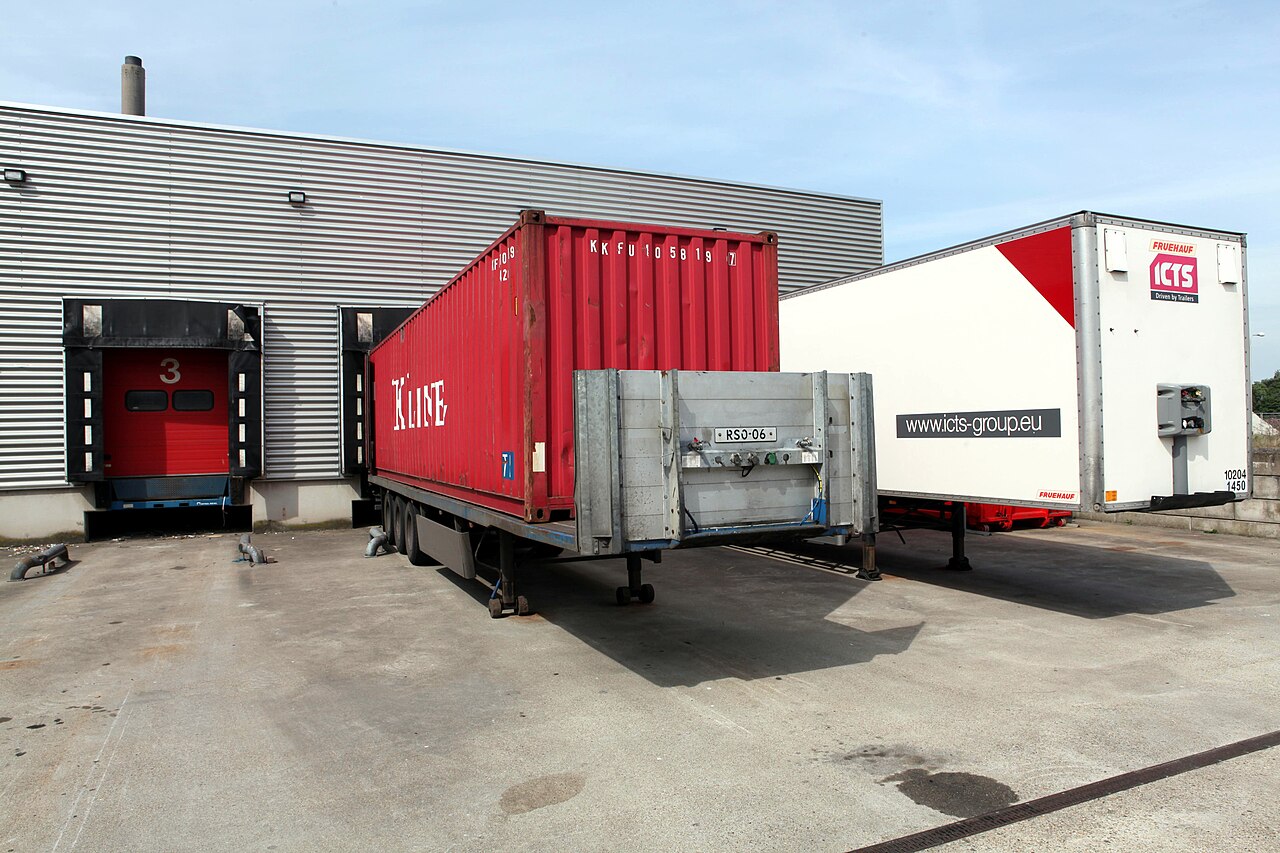
Doors are few; trailers are many. A working yard therefore holds three kinds of space, and mixing them is how yards jam: door positions (the trailer being loaded or unloaded right now), drop spots (trailers parked waiting for a door, or waiting loaded for pickup), and a queue lane where live trucks wait with their drivers. Drop spots should sit in marked rows close enough that a yard move to a door takes minutes, with spot numbers painted where a driver standing on the ground can read them. The queue lane must never block the apron in front of the doors — a truck that cannot leave because the queue is parked across its exit converts one departure into a yard-wide standstill.
In Docklify, parking spots and dock doors are maintained in YMS as locations in one shared table (shared_locations) that WMS also uses: each spot or door carries a status — available, occupied, reserved, disabled — and the YMS dashboard shows dock and spot occupancy at a glance, next to today’s appointments and the trailers waiting to load or unload. A yard can be linked to a warehouse when it is created, so the yard’s doors and the warehouse’s doors are the same doors in the system, not two lists that drift apart.
Moving a trailer from a spot to a door is work, and it is scheduled like work: in Docklify, dispatchers create a movement task (MV- number) for the equipment, and the yard driver executes it on mobile in two steps — Pick at the old spot, Drop at the door — after which the old spot is freed and the door shows occupied. Gate movements frame the whole visit: trucks check in at the gate and get an Entry Ticket (ET-000001); at check-in a dock can be assigned directly, and on the way out the gate scans the same ticket to release the truck and free its spot.
Canopies and dock seals: the cheap comfort that protects freight#
An open dock door is a hole in the building: rain blows in onto cartons and labels, cold air pours out of a cold room all the time a trailer is being worked, dust and insects treat it as an invitation. Two cheap fittings close most of that hole. A canopy (rain hood) above the door throws water off the top of the doorway so it does not sheet down into the trailer or onto the forklift crossing. A dock seal or shelter — foam pads or a fabric shelter around the door that the trailer backs into and compresses — closes the gap between trailer and wall, so the working opening is the trailer’s own doorway and nothing else.
- Seals wear where the trailer rubs them. Budget for replacement pads on the busiest doors, and prefer shelters with replaceable curtains where trailer sizes vary a lot — a seal built for one trailer size leaks around every other size.
- Cold storage doors feel seals the most: without one, a summer loading can frost the doorway, wet the floor at the exact spot the forklift brakes, and bill you for the cold that left. If one door gets the first seal, it is the cold room door.
- Light is part of weatherproofing: a dock light on a flexible arm, aimed into the trailer, is what lets the checker read labels at the back of a dark trailer in the rain.
From gate to door: one truck’s visit, in order#
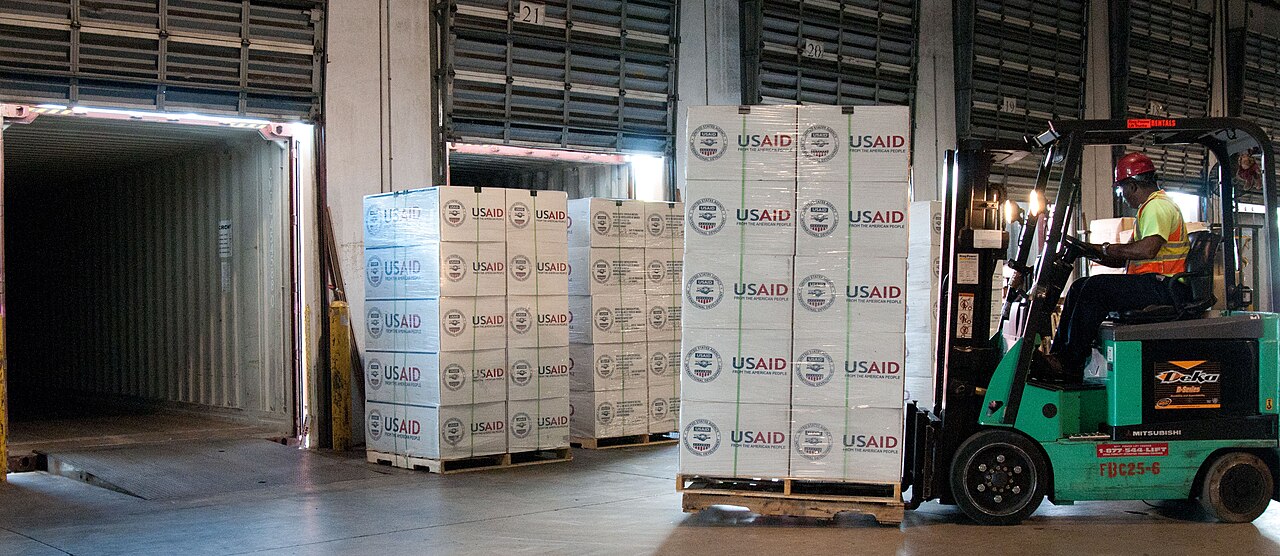
Put the pieces together and a clean visit reads like this: the appointment spreads the arrival; the gate checks the truck in against it and hands over the Entry Ticket; the trailer goes to a door if one is free, or to a numbered spot until a movement task brings it forward; loading or unloading runs against the dock paperwork; the gate scans the ticket out. In Docklify, the inbound side of that visit is shared with the warehouse: YMS and WMS appointments live in the same table (marked by a source column), so the WMS receiving team sees the same arrival the gate does — and a checked-in trailer flagged as needing unloading is the heads-up that a receiving job is coming.
Outbound runs the same visit backwards, with the load built before the truck arrives: in Docklify, several outbound orders are combined into one Load document (WMS → Loads, with template import for recurring routes), a load task assigns the work to a worker and a dock, and the worker scans each pallet’s LPN in loading sequence on mobile — last delivery stop loaded first. When the trailer is staged before the truck is even booked, the door time shrinks to coupling and paperwork, which is the whole point of counting doors in hours rather than in trucks.
Laying out the apron: room to swing, lanes to stage#
Outside the doors, the apron — the concrete yard directly in front of the dock — must let a full-size tractor-trailer straighten out and back in without a three-point turn across other doors. As a working rule, apron depth runs at roughly twice the trailer length plus the tractor: for a 16-metre trailer outfit, think in the range of 35–40 metres of clear concrete from the dock face. Every metre less than that is paid back in slow, multi-point backing, clipped mirrors and doors that cannot be used while a neighbour is maneuvering.
- Paint one staging lane per shipping door on the inside floor, numbered with the door, and size it for one full truckload of that door’s freight. Pallets that do not fit the lane are the signal to build the load earlier, not to borrow the next lane.
- Keep a fire lane and at least one through-lane permanently empty, marked in a different color from parking. A yard where every painted box is full at noon has no way to move the trailer that suddenly has to leave.
The usual dock jams, and their first fixes#
- Trucks queue at the gate at 8 a.m.: the doors are fine, the arrivals are not. Fix the windows first — appointments with real slots beat a second gate lane.
- Staging overflows onto the dock apron and doors cannot open fully: staging is sized for average days and the dock pays for peak days. Shrink door time (pre-built loads, paperwork ready) before renting overflow space.
- One slow door eats the schedule — usually the floor-loaded container door. Give it the door nearest the emptiest yard corner, schedule it first in the morning, and never let its queue form across other doors.
- Pedestrians cross the apron where trailers reverse: paint a walkway along the wall, enforce it, and treat every reversing trailer as needing a spotter at busy hours. The cheapest safety device at a dock is a painted line that people actually follow.
Docklify features used in this article#
- Appointments — YMS → Appointments: reserve a time window per truck (AP-000001) with carrier, driver, plate, trailer and container numbers; calendar view by day and slot, plus punctuality stats; the same appointments are shared with WMS receiving.
- Yards, spots and docks — YMS maintains yards (optionally linked to a warehouse), parking spots and dock doors in the shared_locations table that WMS also uses; statuses are available, occupied, reserved and disabled, with occupancy on the YMS dashboard.
- Gate check-in and out — YMS → Gate: check a truck in, print the Entry Ticket (ET-000001), optionally assign a dock at check-in; scan the same ticket on the way out to release the truck and free its spot.
- Movement tasks — YMS: create a move order (MV-) to relocate equipment; the yard driver executes Pick then Drop on mobile, freeing the old spot and occupying the new one.
- Loads and load tasks — WMS → Loads: combine outbound orders into one truck load (template import for recurring routes); the load task assigns a worker and a dock, and pallets are scanned by LPN in loading sequence.