The forklift family: counterbalance, reach truck, order picker and electric pallet jack
Four machines all get called “forklift”, but they do four different jobs. This guide compares counterbalance trucks, reach trucks, order pickers and electric pallet jacks by job, aisle width, lift height and price — and what it costs to buy the wrong one.
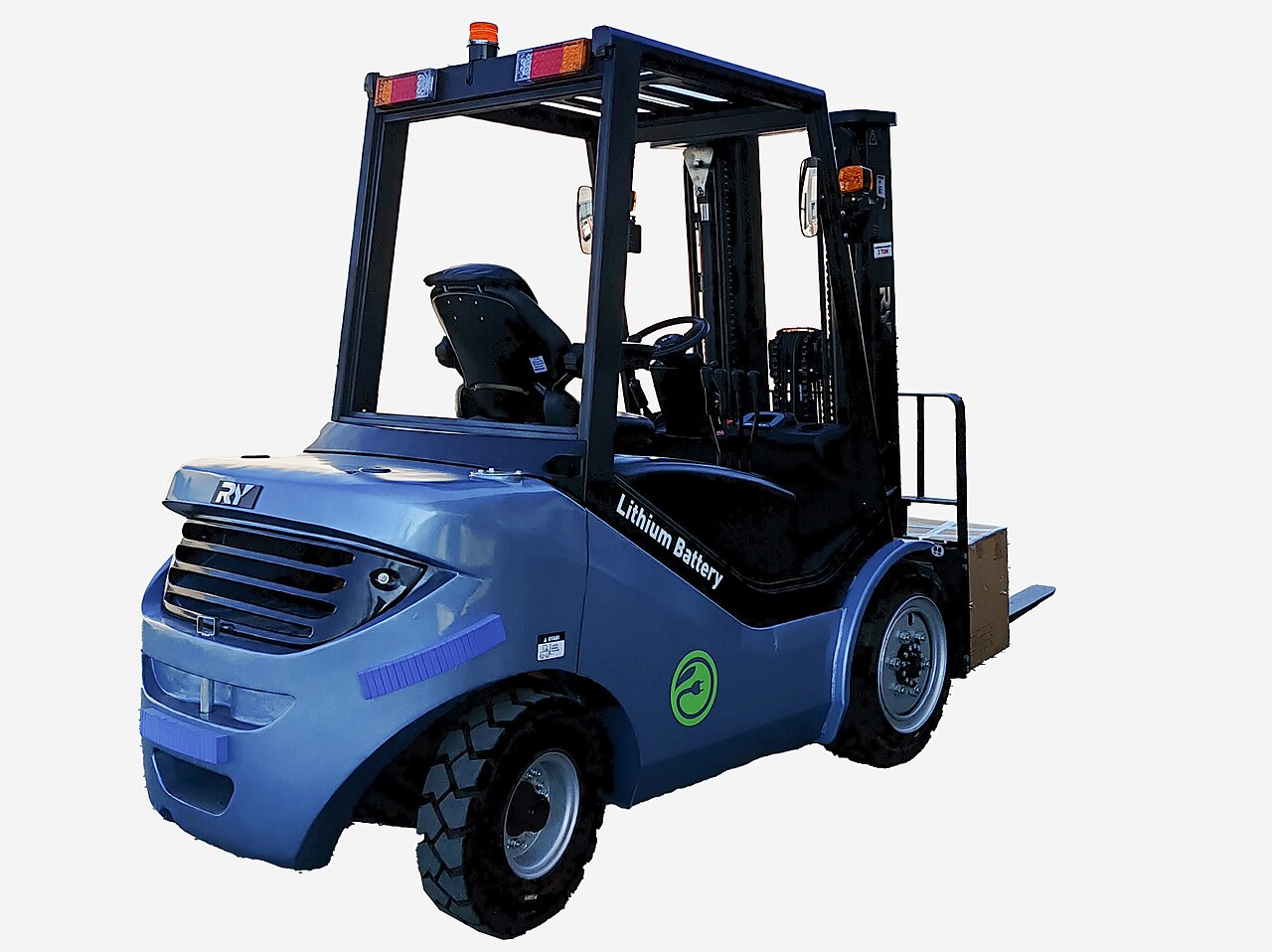
Walk into any warehouse and someone will point at four very different machines and call all of them “the forklift”. A sit-down counterbalance truck loading lorries at the dock, a tall skinny reach truck working the high racks, an order picker lifting a person up to the shelves, and a walk-behind electric pallet jack moving pallets across the floor — they share forks, and almost nothing else. Buying “a forklift” without saying which one is how warehouses end up with an expensive machine that cannot do the job it was bought for.
This guide is a beginner’s tour of the family. For each type: what job it actually does, how wide an aisle it needs, how high it lifts, and roughly what it costs new and used in US dollars. At the end: how to choose, and what choosing wrong looks like in real money — because the truck, the racking and the aisle widths are one decision, not three.
The four types at a glance#
| Type | Main job | Working aisle | Typical lift height | Price: new / used |
|---|---|---|---|---|
| Counterbalance | Loading trucks, moving pallets, general work indoors and out | About 3.5–4.0 m | 3–6 m | $25k–45k / $8k–20k |
| Reach truck | Putting pallets away and retrieving them in high racking | About 2.7–3.0 m | 6–12 m | $30k–55k / $10k–25k |
| Order picker | Picking individual cases and items from racking, person rides up | About 1.8–2.5 m | Platform up to ~10 m (man-up) | $25k–50k / $8k–20k |
| Electric pallet jack | Moving pallets at floor level: dock to storage, short hauls | Works in ~2 m; no stacking aisle | About 0.2 m (just off the floor) | $3k–6k walkie / $1k–3k used |
Read the aisle column twice — it is the one people get wrong. The aisle width in the table is the space the truck needs to turn and face the rack with a pallet. Every metre of aisle you save becomes storage space, which is why narrow-aisle trucks exist. But the truck and the racking must be chosen together: a counterbalance truck physically cannot turn in a reach truck’s aisle, no matter how good the driver is.
Counterbalance: the general-purpose truck#
The counterbalance is the forklift most people picture: the driver sits, the forks are at the front, and a heavy block of weight at the back (plus the battery, on electric models) stops the truck tipping forward under load. It is the strongest all-rounder of the family: it loads and unloads lorries, drives in and out of containers with the right mast, works outdoors on a yard with pneumatic tyres, and puts pallets away in wide-aisle racking. If a small warehouse buys exactly one powered truck, it is usually this one.
Its limits are height and space. Most counterbalance trucks lift 3–6 m, so they serve racking up to about four or five beam levels, and they need that wide 3.5–4.0 m aisle to turn. That is why the rack plan and the truck plan are linked: the top beam level of your racking must stay below what the truck can reach with the load you actually carry — capacity drops as lift height rises, so check the truck’s load chart, not just its headline capacity. In Docklify, that planning lands in WMS → Locations: each location is created with its type and warehouse, and put-away and picking rules treat storage and picking locations differently, so set the location’s level and type to match the rack the truck will really serve.
Reach truck: built for high racks and narrow aisles#
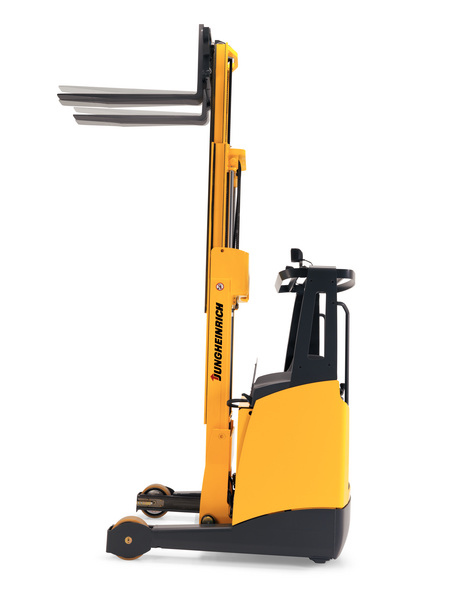
A reach truck is a specialist. The driver usually stands, the outrigger legs run under the load instead of a counterweight behind, and the mast reaches forward into the rack — hence the name. Because it does not need to swing a counterweight around, it works in aisles of about 2.7–3.0 m and lifts pallets 6–12 m up. In a high-bay warehouse it stores far more pallets in the same building than counterbalance trucks could. The trade-offs: it is an indoor machine for smooth floors, it is slower across the dock, and it is not the truck you load lorries with.
The aisle saving only exists if the building is laid out for it, so check the layout before you sign for the truck. In Docklify, the 3D Warehouse view (WMS → 3D Warehouse) lets you lay the racking out on screen and check aisle widths bay by bay before anything is bolted down: model the rows at reach-truck width, confirm the top levels your truck can serve, and only then fix the layout. Changing rack spacing on screen costs nothing; moving installed racking costs a weekend and a crew.
Order picker: the truck that lifts the person#
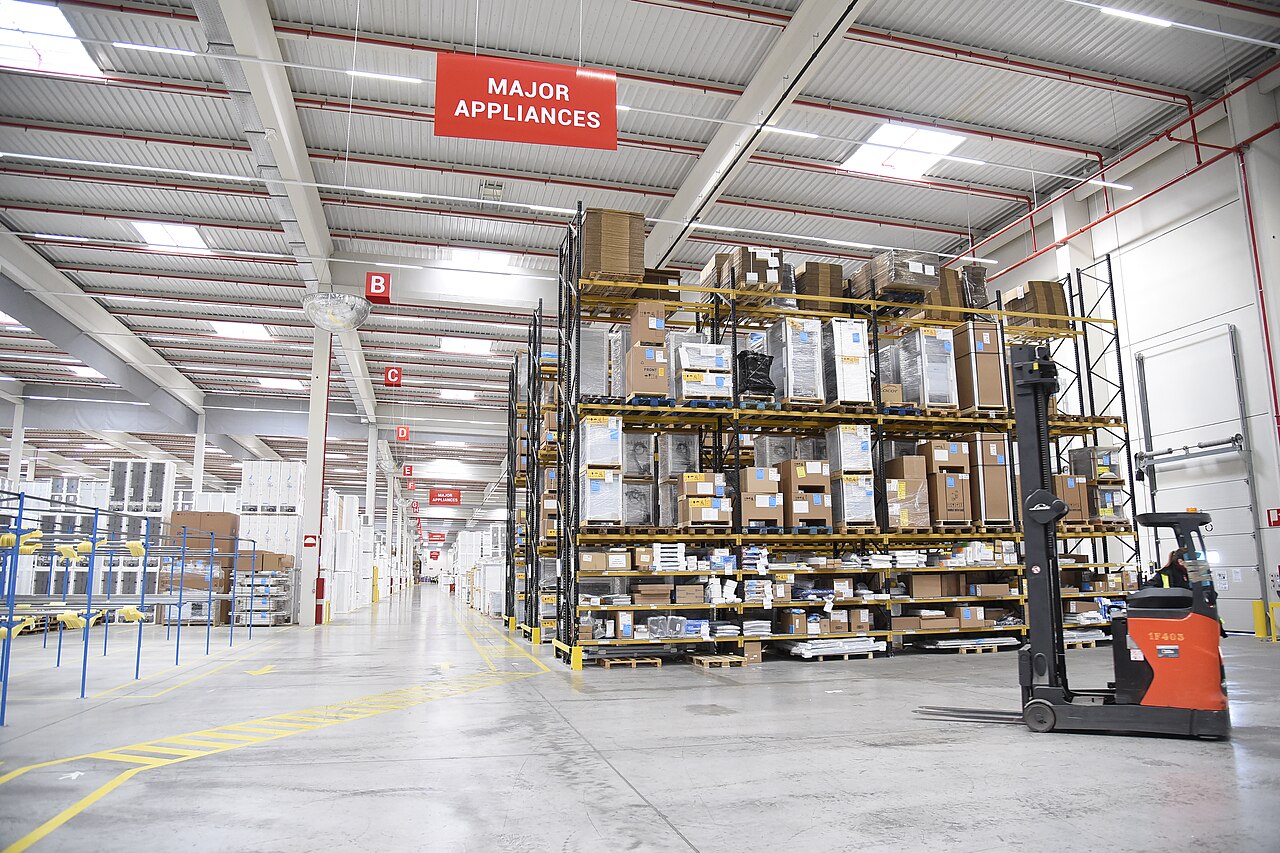
An order picker solves a different problem: not whole pallets, but cases and single items spread across many rack levels. Instead of bringing a pallet down to the floor for every pick, the picker rides a platform up with the forks, takes the two cartons the order needs, and moves to the next location. Low-level models keep the operator near the floor for fast ground and second-level picking; man-up models lift the operator 10 m or more, working in aisles as narrow as about 1.8–2.5 m, sometimes wire- or rail-guided. If your orders are many lines of few pieces from high racking, this is the machine that makes those orders economical.
High-level picking only works if the task in the picker’s hand matches the rack in front of them. In Docklify, picking runs on the mobile side (m.docklify.com → WMS → Picking tasks): the task sends the picker to a location, they scan the location code and then the product code, and a wrong scan is stopped on the spot. That double scan matters even more ten metres up — discovering at the packing bench that the wrong carton came down means another trip up the aisle. For storage locations there is one more rule the mobile flow enforces: stock on a storage location sits on a pallet, so the picker selects or scans the pallet before the product.
Electric pallet jack: the floor-level workhorse#
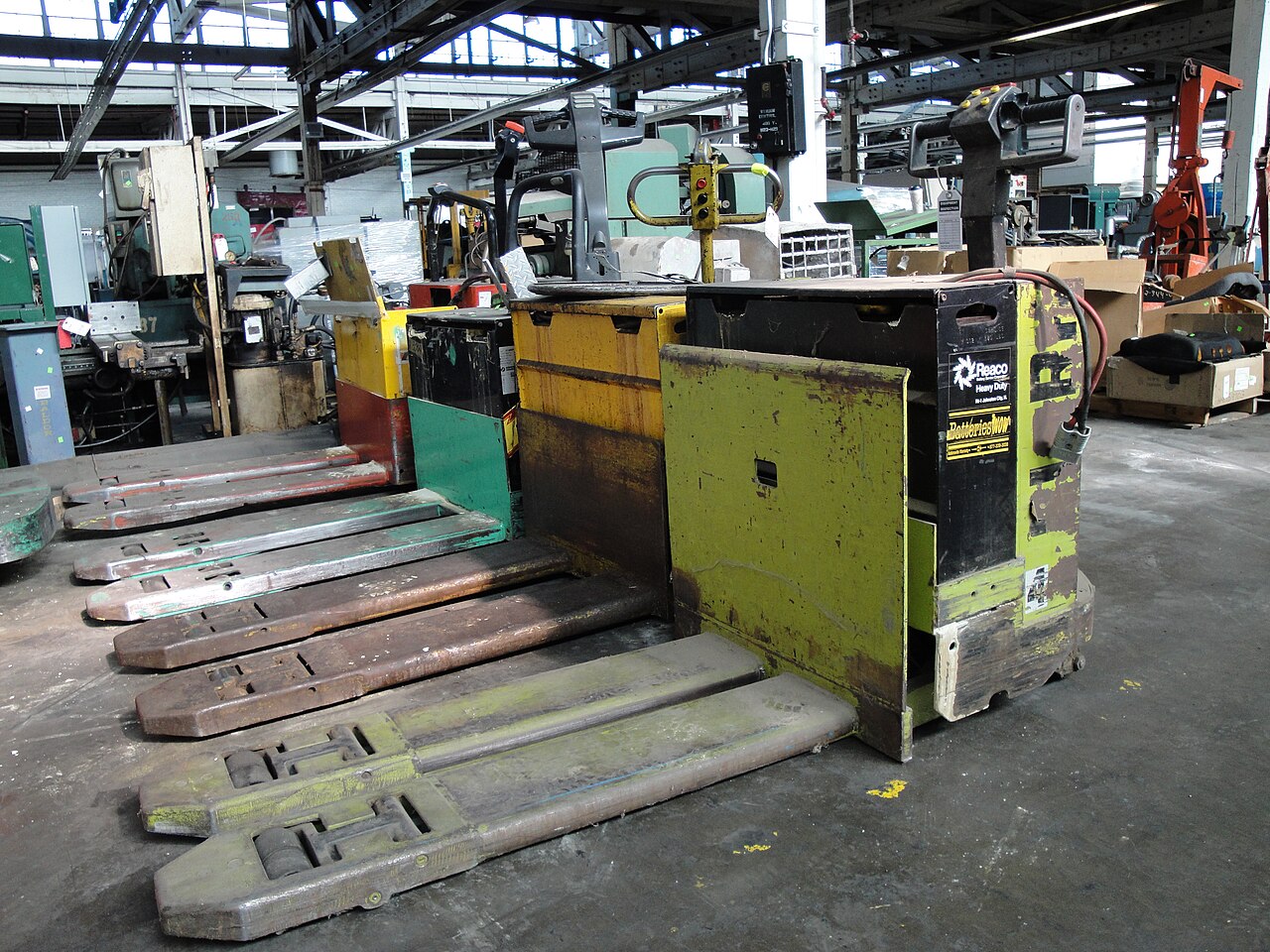
The electric pallet jack — walkie, or rider on the bigger models — is the cheapest powered way to move a pallet. Its forks slip into the pallet, lift it a few centimetres, and the motor does the pushing a person would otherwise do with a manual jack. It cannot stack and it cannot load a high rack; its whole job is horizontal: dock to storage, storage to packing, staging lane to truck door. It is also the training starting point — in many warehouses a new hire learns the floor on a pallet jack long before anyone lets them near a sit-down truck.
Register it, inspect it: the truck is an asset, not furniture#
Whichever type you buy, the paperwork starts the day it arrives. In Docklify, every truck goes into the asset registry (SaaS → Assets): number, type, model, purchase date, warehouse and a plain-words location, with a QR label stuck on the machine. Anyone can then scan the label with a phone and land on that truck’s page — its status, its history, its costs — instead of asking around for “the yellow one”. A truck that is not in the registry is a truck whose repairs, tyres and battery bills live in somebody’s memory.
Then the daily habit: a forklift gets a safety inspection before its first shift of the day — brakes, steering, forks, chains, hydraulics, tyres, horn, lights. In Docklify that checklist lives in Assets → Daily Inspection: one big card per item on the phone, pass, fail or N/A. If a critical item fails, the asset is locked to Under repair automatically and a repair ticket can be raised in one tap, so a truck with bad brakes cannot simply be handed to the next driver. Service plans and repair costs sit in the same place (Assets → Maintenance), so when you are quoted for a used truck’s “cheap” year two, you can check what your own fleet actually costs to keep running.
Choosing: four questions before any price talk#
- What is the load, really? Heaviest pallet you actually move, not the average. Capacity is quoted at a standard load centre and falls as you lift higher — an overloaded truck is a tipping truck.
- How high is the top beam? Measure the rack you have (or honestly plan), then match the truck’s lift height and its remaining capacity at that height.
- How wide are the aisles — and who decided? Aisles are set by the rack layout. If the building is already racked wide, a reach truck buys you nothing; if you are racking from scratch, the truck choice sets the storage density.
- Pallets or pieces? Whole pallets up and down point to counterbalance or reach. Many small picks from many levels point to an order picker. Floor-level moves only point to the pallet jack — do not pay for a mast you will never raise.
What choosing wrong costs#
- Truck too wide for the aisles: it cannot turn into the rack, so the top levels and the far bays quietly become dead space — or you pay to re-rack the building.
- Truck too short for the racks: the top beam level can never be used. On a five-level rack that is roughly a fifth of the storage you paid for, empty forever.
- Wrong tool for the job: using a counterbalance to pick single cartons means landing a full pallet for every order line — slow labour, damaged goods, and a dock full of half-empty pallets.
- No truck where one is needed: people start carrying, dragging and “temporarily” stacking in aisles. The bill arrives as injuries, damaged stock and blocked fire lanes, not as an invoice you can plan for.
One last buying note, on used trucks: the sticker price is the small part. Ask for the battery’s age and a load test on electric models — a tired traction battery can cost as much as the truck. Check the mast chains, fork wear and any sideways play in the carriage, and get the hour meter reading in writing. Then put the truck through a Docklify daily inspection on day one (Assets → Daily Inspection) and file the result: whatever shows up in that first week is a conversation with the seller, not yet your problem to pay for.
Docklify features used in this article#
- Locations with type and warehouse, matched to rack levels — SaaS → WMS → Locations
- 3D warehouse layout and aisle-width check — SaaS → WMS → 3D Warehouse
- Mobile picking tasks with location + product scan checks — m.docklify.com → WMS → Picking tasks
- Asset registry with QR label per truck — SaaS → Assets
- Daily forklift inspection and repair lock — SaaS → Assets → Daily Inspection
- Service plans, repair records and asset costs — SaaS → Assets → Maintenance