Scales in the warehouse: bench, platform and checkweighers
Freight is billed by weight, 3PL fees are charged by weight, and overweight parcels get fined. This guide covers bench scales, platform scales and truck scales, accuracy and calibration, dimensional weight, and daily weighing habits.
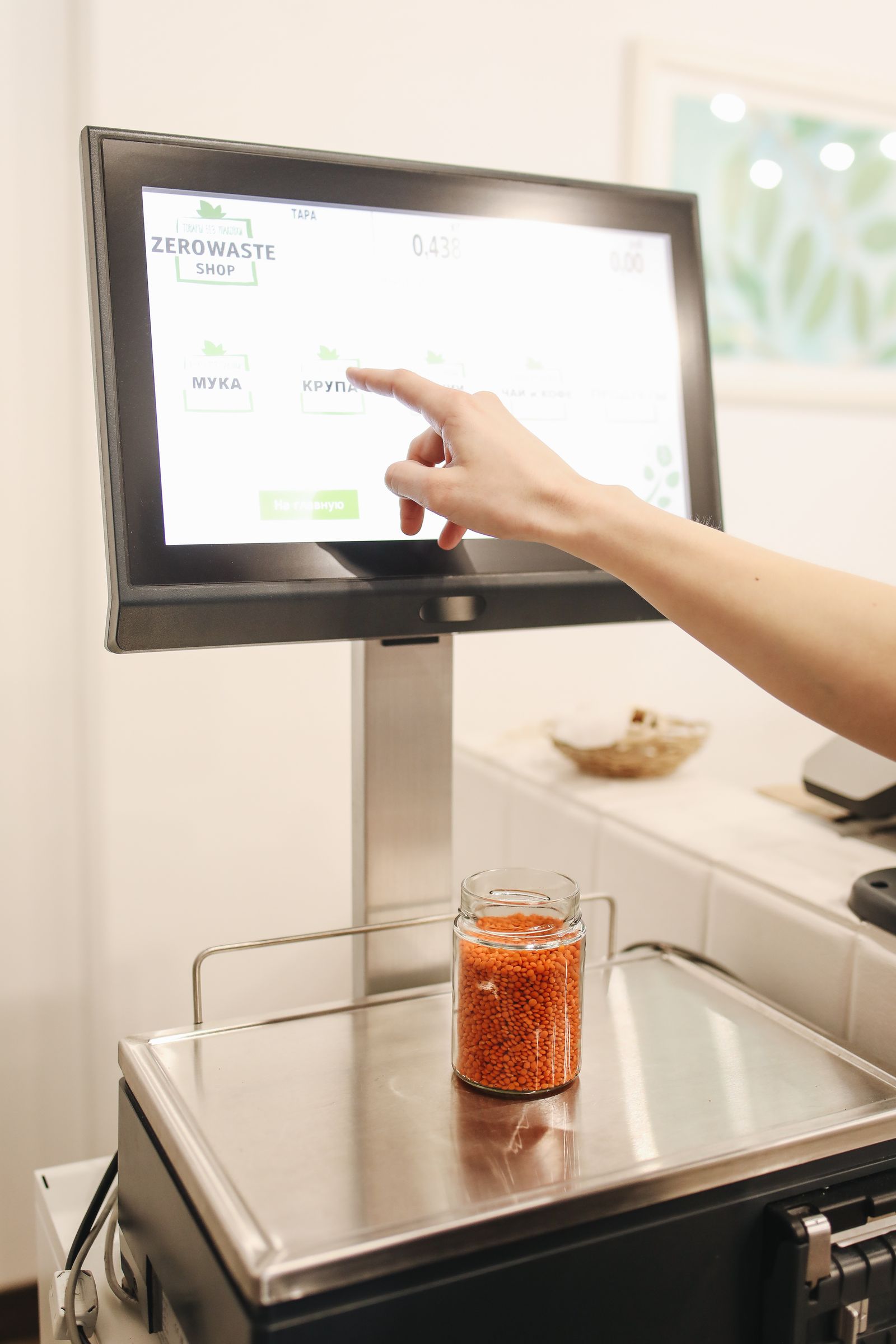
A scale is the least glamorous machine in the warehouse and one of the most expensive to ignore. Every parcel you ship is billed on the weight you declare — or the weight the carrier measures itself, plus a correction fee if yours was wrong. This guide explains the three scale families you will meet, how to read accuracy specs without getting fooled, and the daily habits that keep weights honest.
Why a warehouse cannot live without scales#
- Freight is priced by weight. Carriers charge by the greater of actual weight and dimensional weight. Under-declare and they re-weigh, bill the difference, and may add a correction fee.
- 3PL billing is by weight. If you store and ship for clients, handling and freight charges are often calculated per kilo or per pound — your scale readings are literally your invoice.
- Overweight parcels get fined or returned. Every carrier and service has weight and size limits. A parcel over the limit can be refused, returned, or surcharged heavily — discovered at the worst possible time.
For a 3PL, those weight-based charges are settled in Accounting: the per-weight handling and freight calculations for client billing live in SaaS → Accounting → 3PL Billing. That is why the weight captured at the bench matters — it flows from the scale, to the shipment record, to the client invoice.
Three scale families (plus one for packing lines)#
| Type | Capacity | Typical price | Where it works |
|---|---|---|---|
| Bench scale | 15–60 kg | $80–300 | Packing bench — weighs every outbound carton. The warehouse workhorse. |
| Platform / floor scale | 500 kg–3 t | $300–1,500 | Dock area — weighs whole pallets, inbound and outbound. |
| Truck scale (weighbridge) | Whole truck, tens of tons | $5,000+ | Yard gate — weighs a truck loaded vs empty for bulk goods and scrap. |
Do not confuse the two floor-level scales in the table. The platform scale is what a warehouse uses every day: a low steel plate, often set into a shallow pit or with small ramps, and a pallet jack or forklift rolls a pallet onto it. The truck scale in the photo below is a different animal — a full vehicle drives onto it. Most parcel warehouses never need a truck scale; if you weigh pallets, you want a platform scale.

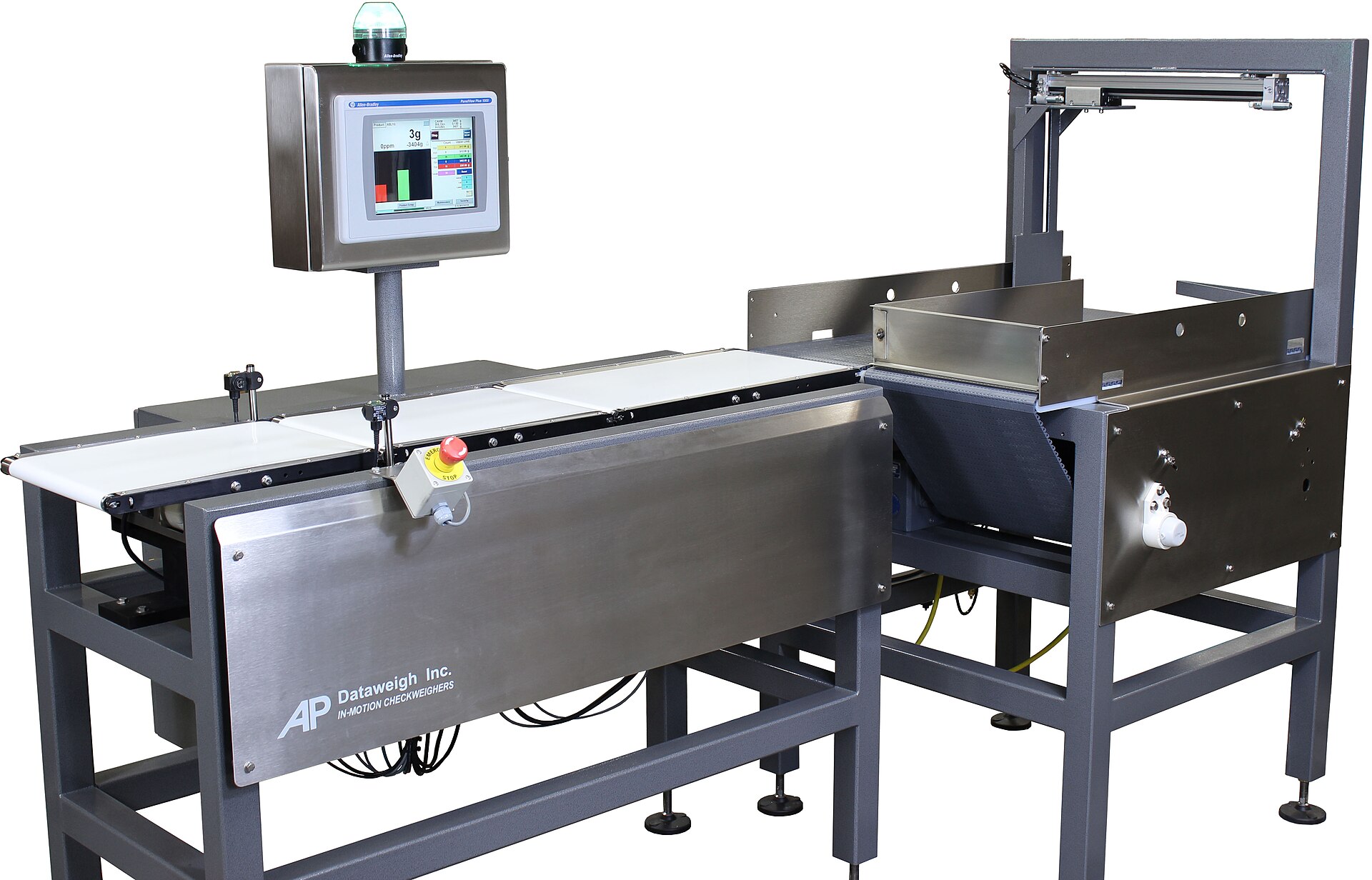
The fourth type appears on packing lines: a checkweigher. Parcels ride a short conveyor over a weighing section; the machine weighs each one in motion and flags (or auto-rejects) any parcel whose weight does not match the expected weight for that order. Typical price $2,000–5,000 for a small line unit. It is how bigger operations catch packing mistakes — wrong item, missing item, double item — before the carrier does.
Accuracy: division, capacity and NTEP#
- Division (readability) is the smallest step the display shows: 5 g, 10 g, 100 g. For parcel bench scales, 5–10 g is plenty — carriers round to much coarser steps anyway.
- Do not buy more capacity than you need. The bigger the capacity, the coarser the division tends to be. A 300 kg bench scale that reads in 100 g steps is worse for parcels than a 60 kg scale reading 5 g.
- NTEP / legal-for-trade: in the US, if you charge money based on a weight (3PL billing, selling by weight), the scale should be NTEP-certified (Class III) and installed level and sealed as required. A cheap non-certified scale is fine for internal checks, risky for invoicing.
Buying shortcut: match the scale to the job, not to the biggest number on the box. Packing bench: 30–60 kg capacity, 5–10 g division, a pan big enough for your largest carton. Dock: platform sized for a full pallet with ramps or a pit. And check the interface before you buy — USB or serial output is what lets the scale talk to a computer instead of just showing a number.

Dimensional weight: when size costs more than weight#
Carriers charge by the greater of two numbers: actual weight, and dimensional (DIM) weight = length × width × height ÷ a divisor (for example 139 for inches/pounds in US domestic air, 166 for some ground services; the divisor varies by carrier and service). A box of pillows can weigh 2 lb but bill as 12 lb. That is why packing staff measure big light boxes, not just weigh them. Dedicated dimensioners (cameras/sensors that measure a box in seconds) exist for high-volume benches — for most small warehouses, a tape measure and discipline do the same job.
Practical habit: measure the three sides of any carton that looks big for its weight, and write the dimensions with the weight at packing time. If the carrier later bills a higher DIM weight than you declared, you can check your own numbers first instead of paying blindly.
Daily use, step by step#
- Switch on and let it warm up a minute, then check zero. With nothing on the pan, the display must read 0. If not, press Zero. A scale that starts the day off-zero stays wrong all day.
- Use tare for the box. Put the empty carton (and any dunnage you always add) on the scale, press Tare, then pack. The display now shows net goods weight; add the box back if your carrier wants gross — be consistent with how your rates are set up.
- Place the parcel in the centre of the pan, wait for the stable indicator, then read. Off-centre loads and a swinging pallet are classic causes of “the scale is lying”.
- Calibrate on a schedule with standard test weights (for example 10 kg and 25 kg). Put the weight on, compare with the display, adjust or call service if it is off. Log the check — clients and auditors love a calibration log.
- Keep the pan clean and empty when idle. Parcels, tape and tools parked on a scale all day creep into the next reading, and a cluttered scale hides damage.
At the packing bench in Docklify, the weight you read becomes part of the record: when you confirm packing in the Packing Station (SaaS → WMS → Packing Station), the parcel weight is recorded with the shipment / parcel record. Declared weight, labels and billing all trace back to that one number, so weigh once, weigh right.
Typing weights by hand invites typos — a missing digit turns 12.5 kg into 1.25 kg and a carrier correction fee follows. Scales can be connected through Device Hub: install Device Hub on the bench computer (docklify.com/download), connect the scale to it, and the reading flows into the system instead of being keyed in. Device Hub supports both printers and scales. For buying, one hard rule: the scale must have a data port — the full supported list is in “Supported printers and scales: what to buy for Docklify” in this section.
Packing review: scan and weigh before it leaves#
Good benches do two checks before a parcel leaves: scan the items against the order, and compare the parcel weight with what the order should weigh. In Docklify, that review is part of the Packing Station packing flow (SaaS → WMS → Packing Station): scan-to-verify plus a weight comparison — if the weight does not match, you get prompted to check the contents before the label goes on. Catching a missing item at the bench costs a minute; catching it after the carrier takes it costs a reshipment.
- Unstable readings are often air movement or a vibrating bench — move the scale away from fans and dock doors, and off shared wobbly tables.
- A scale used for client billing deserves a file: register it in Assets like any other device, and keep its inspection and calibration records with it.
In Docklify, that file lives in SaaS → Assets: create the scale as an asset, and its periodic inspection / calibration checks can be recorded against it, so when a client questions a weight you can show the scale, its last calibration date, and the record — not just a shrug.
Docklify features used in this article#
- Record parcel weight at packing confirmation — SaaS → WMS → Packing Station
- Connect scales (and printers) via Device Hub — download at docklify.com/download
- Weight-based 3PL billing for clients — SaaS → Accounting → 3PL Billing
- Packing review: scan verification + weight comparison — SaaS → WMS → Packing Station
- Scale asset file with inspection / calibration records — SaaS → Assets