The 3PL multi-client warehouse: many owners, one building, separate books
What makes a 3PL warehouse different from an own-goods warehouse: client zones and location segments, inventory books kept per client, whole-pallet and piece work side by side, and where the billing points are — storage, handling and value-added services.
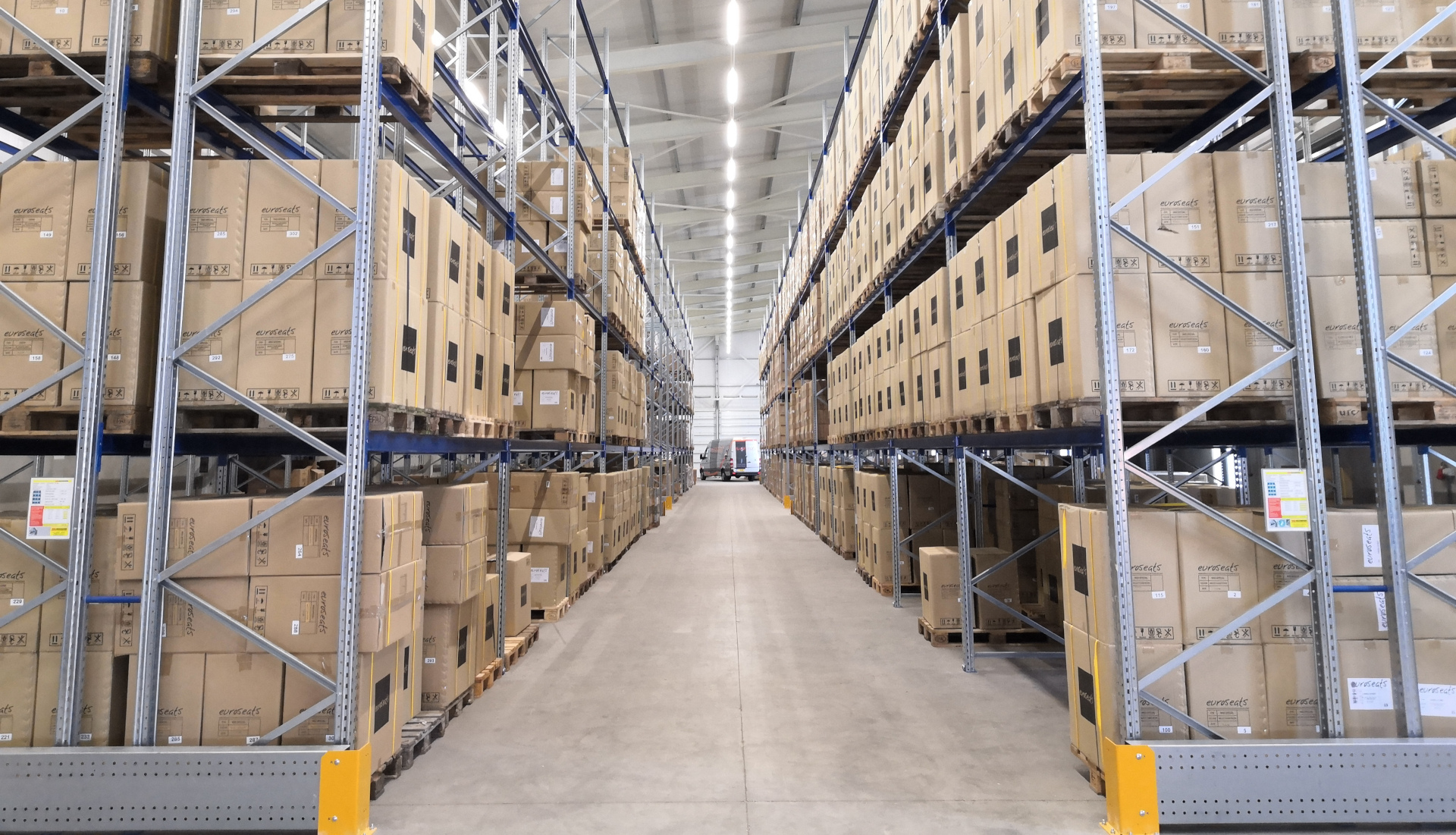
A self-operated warehouse stores its own company’s goods: if something is miscounted, the loss is internal and the fix is a quiet recount. A 3PL warehouse stores other companies’ goods for money, and that single difference rewrites every rule. The stock on the racks belongs to five, twenty, a hundred different owners. Each owner must be able to ask at any moment: how much of mine is there, where is it, what went out this week — and get an answer that never includes a neighbor’s goods. A 3PL warehouse sells, in one phrase, keeping things separate and keeping them countable.
Many clients, one building: zone by client first#
The physical layout starts with the client list. Each client gets its own area: a run of rack aisles, a floor segment, or at least a clearly signed set of location ranges. Signs carry the client’s name at the aisle ends, pallet labels carry the client’s code, and mixed pallets are forbidden — a pallet never holds two clients’ goods, however convenient it looks. Small clients may share an aisle, but never a location: the smallest unit of separation on the floor is one location, one client. This looks wasteful next to a self-operated warehouse that fills every empty slot with anything; in a 3PL building, empty-looking gaps between clients are the price of being able to swear whose goods are whose.
In Docklify, a client-dedicated area can be expressed as a Location Group (WMS → Location Groups): group the locations reserved for one client under that client’s group, so putaway suggestions and task rules can respect the boundary instead of relying on everyone’s memory of which aisle belongs to whom.
The inventory book must be kept per client#
Two clients can sell the exact same product — same SKU, same carton, same shelf look. On the books they are two different stocks that happen to look identical, and they are never, ever added together. Available quantity, reserved quantity, cycle counts, even damage write-offs are all counted per client. If client A is out of stock while client B next door has five pallets of the same item, A’s orders wait: borrowing a neighbor’s stock to ship A’s order is the one unforgivable sin of a multi-client warehouse, because it falsifies two books at once.
In Docklify this separation is structural, not a note on a whiteboard: every document header carries its Client — an outbound order is created under one client, a wave release starts by choosing the Client (a required field) and groups shipments by client and filter, and allocation locks that client’s stock. Pick the wrong client at the start and the order simply has no stock to promise, which is the system refusing to mix books for you.
| Compared point | Self-operated warehouse | 3PL multi-client warehouse |
|---|---|---|
| Whose goods | One company: your own | Many client companies, side by side |
| Inventory book | One book for the whole building | One book per client, never merged |
| Who pays the warehouse | Nobody — it is a cost center | Every client, per contract: storage, handling, extras |
| Cost of a mix-up | An internal recount and a hard week | Claims, compensation and a client who may leave |
| What the goods owner sees | Everything — it is their own building | Only their own stock, orders and bills |
Inbound: identify the client before you touch the goods#
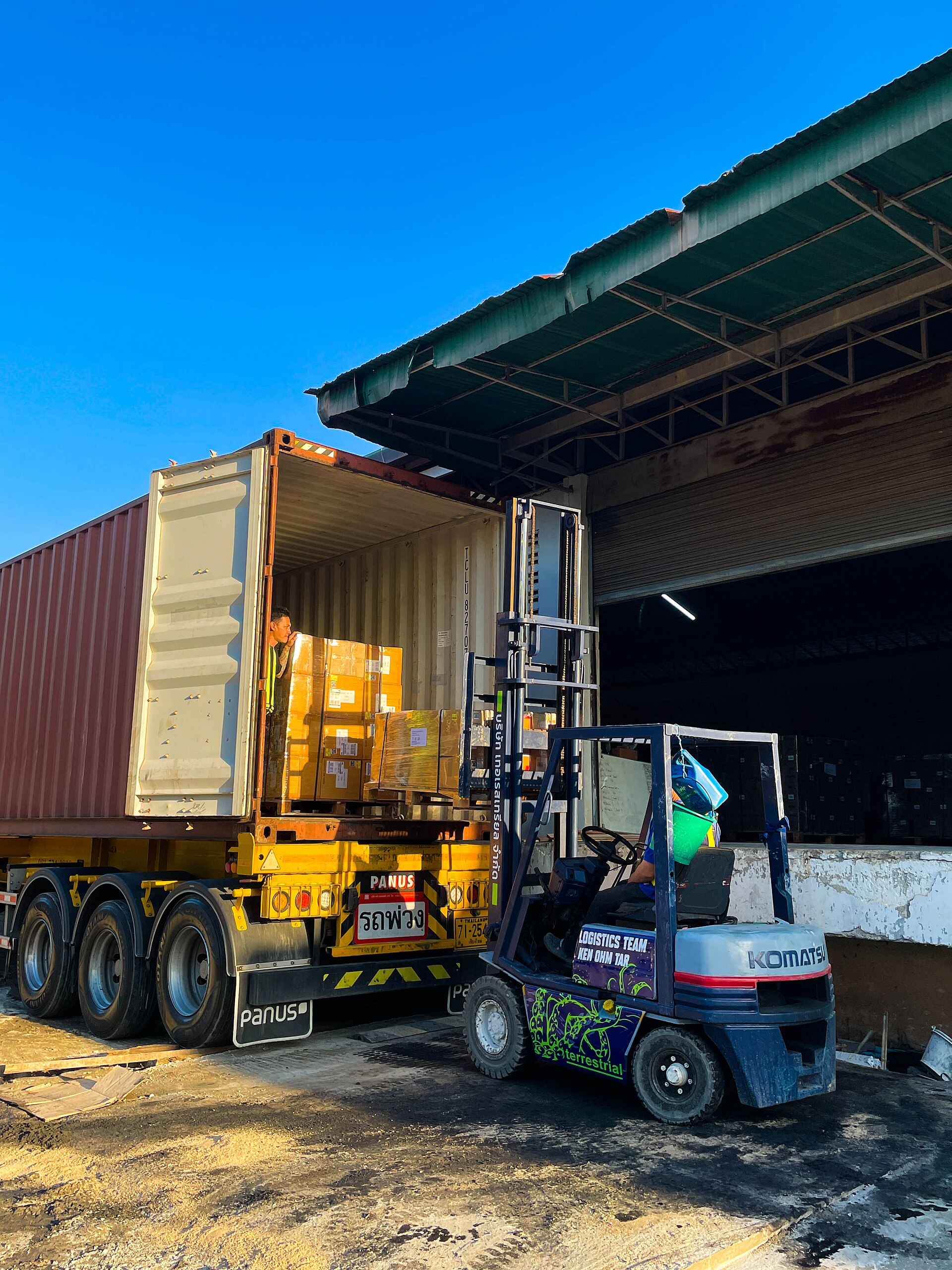
Receiving in a 3PL building starts one step earlier than usual: whose is it? The appointment, the paperwork and the receiving task all name a client before the truck door opens. Goods are counted against that client’s expected delivery, labeled with that client’s code at the dock, and only then put away — into that client’s segment. The mix is what surprises newcomers: the same morning brings a full container of palletized cartons for a wholesaler client and three loose cartons of samples for a small online seller. Whole-in and piece-in are both normal here, often on the same dock, an hour apart.
Putaway rules then differ by client, because the goods differ: one client demands strict first-in-first-out, another tracks batches, a food client watches expiry dates, a returns-heavy client wants quarantine space. The warehouse does not get to pick one house rule; it runs several rule sets in parallel and the system, not memory, has to know which client each task belongs to. This is also why receiving speed is quoted per client profile, never as one building average.
Outbound: whole pallets out and pieces out, side by side#
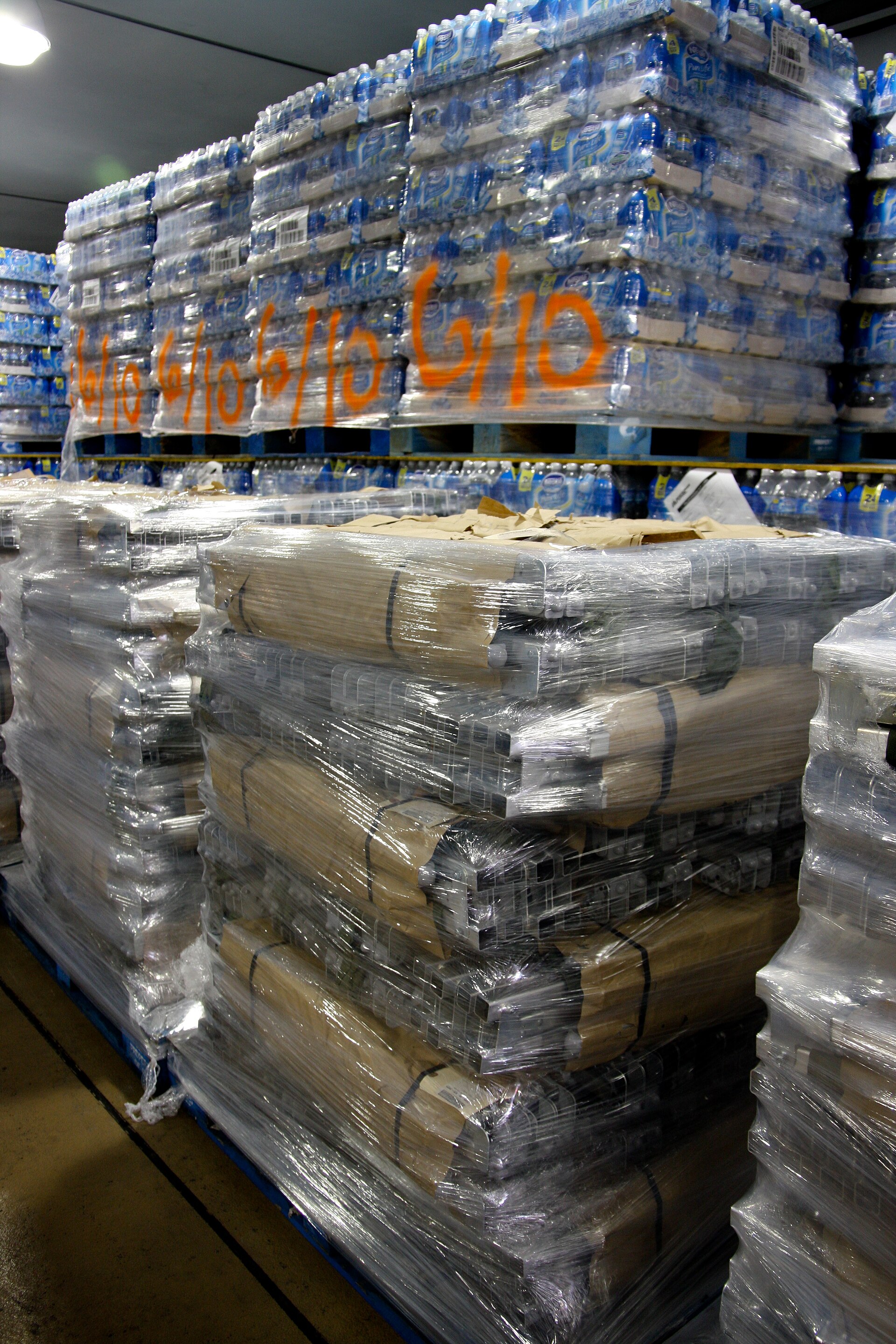
The same duality runs outbound. A B2B client’s order may be three full pallets: a forklift pulls them from the racks, they are wrapped, labeled and staged — the order never touches a shelf bin or a packing bench. The next order, from an online seller client, is two pieces picked from shelving, packed into a small carton with a carrier label. Both are simply outbound orders in the same system and often in the same hour. The skill of a 3PL team is switching granularity without switching discipline: the full-pallet order still gets its scan and its paperwork, and the two-piece parcel still gets counted against the right client’s book.
In Docklify an outbound order is created under its Client, with the client’s ship-to address chosen from that client’s address book or typed once and saved. Allocation then reserves that client’s stock only, and the pick task — whole-pallet or piece pick — is generated from that order, so the granularity can change order by order while the client boundary never moves.
Where the money is: the billing points of a 3PL warehouse#
A 3PL warehouse earns from three families of charges. Storage rent is the quiet one: goods pay for the space they occupy, counted per pallet, per cubic meter or per location, usually snapshotted day by day — a pallet that stays thirty days pays thirty days, whether anyone touched it or not. Handling is the visible one: every time people and machines work on the goods — receive, put away, pick, pack, load — the contract prices that touch. Value-added services are the negotiable one: labeling, re-boxing, kitting, quality checks, photo documentation, gift wrapping. None of these prices are universal; they live in each client’s contract, which is why the billing conversation always starts from the rate sheet, not from habit.
| Charge family | How it is usually measured | When it happens |
|---|---|---|
| Storage rent | Per pallet, per cubic meter or per location, per day | Every day the goods stay in the building |
| Inbound handling | Per pallet, per carton or per container received and put away | When a delivery is received and stored |
| Outbound handling | Per order, per line or per piece picked and packed | When an order is fulfilled and shipped |
| Value-added services | Per piece or per hour: labeling, re-boxing, kitting, inspection, photos | When the client books the extra work |
| Materials and freight pass-through | Actual cartons, labels and carrier charges, passed through | When materials are consumed or freight is prepaid by the warehouse |
The leak in most 3PL buildings is not wrong prices; it is work that was done and never recorded. A labeling favor done at the packing bench, a re-boxing done to be nice, overtime spent on one client’s urgent container — if nobody writes it down the day it happens, it will not be on the invoice, and the warehouse quietly donated it. The floor rule follows: no event, no charge; and the kindest thing a supervisor can do for the business is make recording take ten seconds.
In Docklify the prices live in a client rate sheet (Accounting → Billing → Rate Sheets → New Rate Sheet): a five-step wizard picks billing items from a catalog grouped by module (WMS, TMS, Drayage, LastMile), sets unit prices and tiers, and, once both sides e-sign, the sheet becomes the one active version for that client. Price changes never edit history; they create a new version and sign again.
The charging side then runs itself: every completed task writes a billing usage event automatically (receiving, putaway, picking, packing and the rest), storage is snapshotted daily, and items the system cannot capture — labeling, detention and similar extras — are added by hand or CSV import before settlement. At settlement the engine prices every uninvoiced event against the client’s active sheet and drafts an invoice (MINV-000001, MINV-000002…) where each line shows its quantity-times-price formula, so the client can re-check the math line by line.
Letting clients see for themselves: trust is a feature#
A multi-client warehouse fields the same questions every week: how much of mine is left, did Tuesday’s order ship, why is this line on the invoice. Answering by phone and spreadsheet works at three clients and collapses at thirty, and every manual answer is a chance to paste the wrong client’s numbers into the wrong email. The scalable answer is self-service with hard walls: each client logs in and sees exactly their own stock, their own orders, their own bills — complete for them, invisible beyond them.
In Docklify, clients get that wall through the Client Portal (the Merchant Portal): a client account places its own orders, checks its own inventory and follows tracking, while the warehouse team only handles approval and fulfillment. The portal reads the same per-client books as the warehouse floor, so what the client sees is what the racks hold — not a spreadsheet somebody updated last Friday.
Daily discipline in a multi-client building#
- Label at the dock, not later. A pallet that enters the racks without its client code will eventually be somebody’s guess — and guesses get shipped.
- Count per client, always. A cycle count that mixes two clients’ identical SKUs into one number has counted nothing at all.
- Record the favor the day it happens. Extra labeling, re-boxing and rush work are legitimate charges only if the billing event exists; memory is not an invoice.
- Never borrow stock across clients, even with both clients on the phone agreeing — the books, the expiry dates and the batch records will disagree later, in writing.
- Quote new clients from their profile, not the building average: pallet-in-parcel-out clients and whole-pallet clients use the same floor in completely different ways.
A 3PL warehouse is a promise-keeping business disguised as a storage business. Keep every client’s goods, books and bills separate — on the floor, in the system and in the portal — and the building full of other people’s property becomes the easiest thing in the world to defend: everything counted, everything attributable.
Docklify features used in this article#
- Client-dedicated areas as Location Groups — WMS → Location Groups
- Every document header carries its Client; wave release requires the Client and groups by client and filter — WMS → Outbound Orders / Wave Release
- Outbound orders under a Client, ship-to chosen from that client’s address book, allocation reserving only that client’s stock — WMS → Outbound Orders
- Client rate sheets with the five-step wizard, tiered prices and e-signature — Accounting → Billing → Rate Sheets
- Automatic billing usage events from completed tasks, daily storage snapshots, and settlement invoices with per-line formulas — Accounting → Billing
- Client self-service for orders, own inventory and tracking — Client Portal / Merchant Portal