Replenishment task: keep pick locations stocked
When a pick location drops below its minimum, the system creates a replenishment task — same pick/drop flow as a move task, but marked urgent. Three trigger modes, manual batch creation, and mobile execution, all in one place.
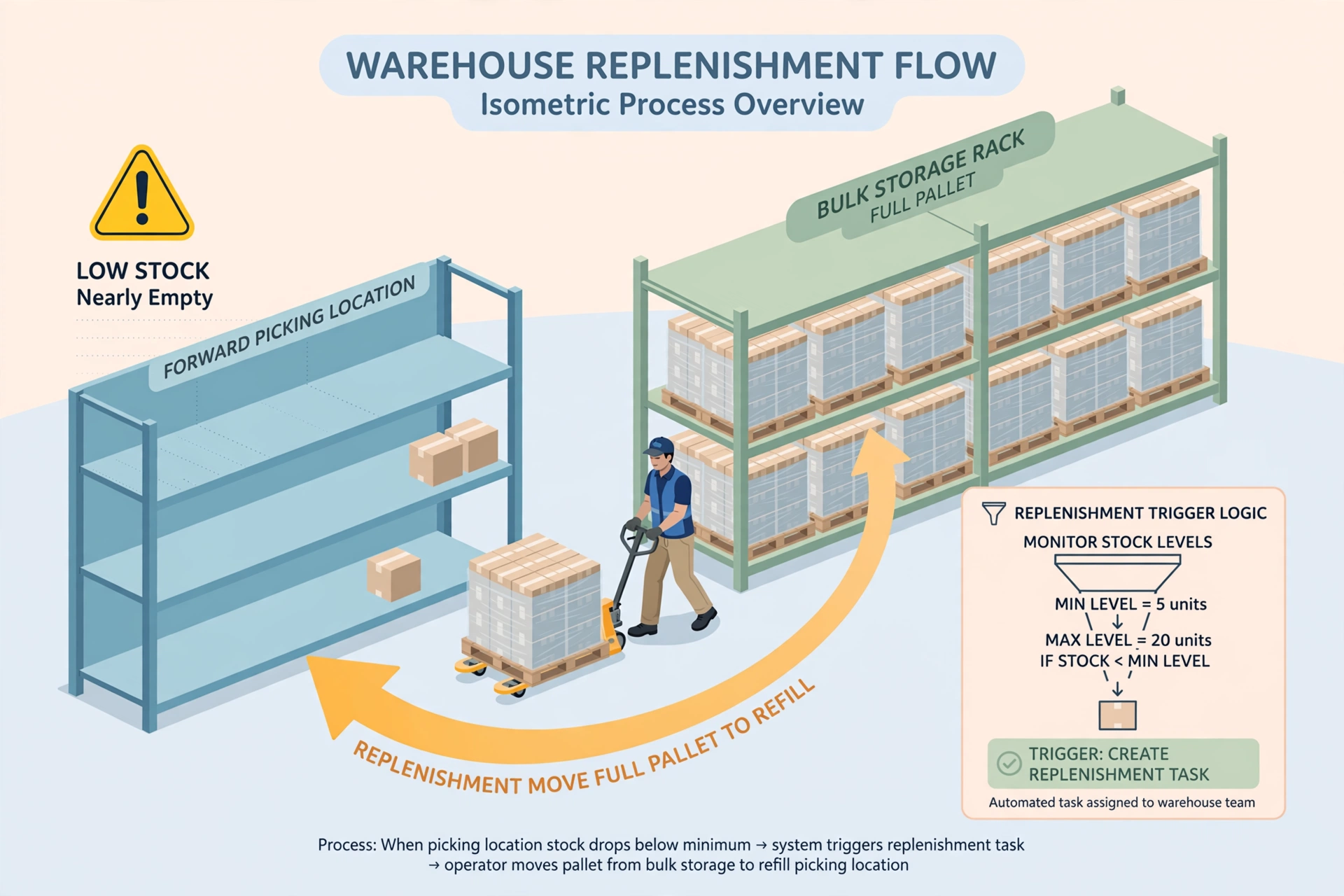
A replenishment task moves stock from a storage location to a pick location that is running low. It uses the exact same execution flow as a move task (Summary → scan-based Pick → scan-based Drop), but it is a separate task type with its own name, list and statistics — so everyone can tell at a glance that this one is urgent and affects picking.
How much to replenish#
Each pick location has a minimum (min_qty) and a target (target_qty) per product, set under WMS → Settings → Pick location minimums. When on-hand drops below the minimum, the replenish quantity is target minus on-hand (capped by the location's max capacity). Example: min 20, target 100, on-hand 15 → replenish 85.
Three trigger modes#
1) Transaction-triggered (primary): after a pick task is submitted, a move pick completes, or an outbound shipment deducts stock, the system immediately checks the affected pick locations. 2) Scheduled scan (safety net): every day at 02:00 the system sweeps all pick locations to catch anything missed. 3) Manual: open WMS → Manual Replenishment to see every below-minimum location, tick the ones you want, and create tasks in batch.
Urgent tasks#
If a pick location hits zero while there are orders waiting to pick, the replenishment task is marked URGENT and pinned to the top of the mobile task list with a red badge — pick it up first.
Execute on mobile#
Open WMS → mobile → Replenishment Tasks. Tap a task to see the summary, then Start: Step 1 Pick (scan location → scan pallet if storage → scan product → enter actual qty → Pick), Step 2 Drop (scan destination location → scan pallet if storage → Drop). Identical to a move task — only the title says "Replenishment".
Rules page: three sections#
Open WMS → Task Rules → Replenishment tab. Section 1 Hard rules (minimum trigger, capacity ceiling, cycle-count lock, idempotency) — violations are rejected outright. Section 2 Soft preferences: policy-type rules (timing mode, batch mode, peak avoidance, urgent queue, quantity calc) use dropdowns/switches with no weight slider; scoring-type rules (shortest path, source selection) use real weighted scoring across candidate source locations. Each rule shows an honest wiring badge: 🟢 wired / 🟡 partial (with a note on what is not yet supported). Section 3 Auto-assign rules (per owner): skills multi-select → service area (location group, empty = no restriction) → on-duty only → fewest open tasks → fallback chain (2 people in order; if none is on duty, the task is skipped this round and retried on the next trigger).
Work hours & performance#
Every task execution (Start = pick, Close = drop) automatically records work hours linked to the task (task_id + task_kind) under "daily operations". Desktop direct receiving also auto-creates a completed receive task plus its hours. Per-person stats — completed task count, average task duration, total hours — are aggregated from tasks and time records for performance reviews. No extra tables needed.
FAQ#
Q: A replenishment task was created but the storage location is now empty — what happens? A: The pick step validates available quantity. If stock is gone, the worker sees an error and the task can be cancelled; the next scan will regenerate it if still needed. Q: Can I change min/target? A: Yes, in WMS → Settings → Pick location minimums; changes apply to the next check.