Lithium batteries: marking products, choosing a handling tier, and daily operations
How to flag lithium-battery products (5 fields + UN number chart), pick strict / standard / relaxed handling, run receiving inspection, putaway, picking, DG declaration at shipping, and what to do with a damaged battery.
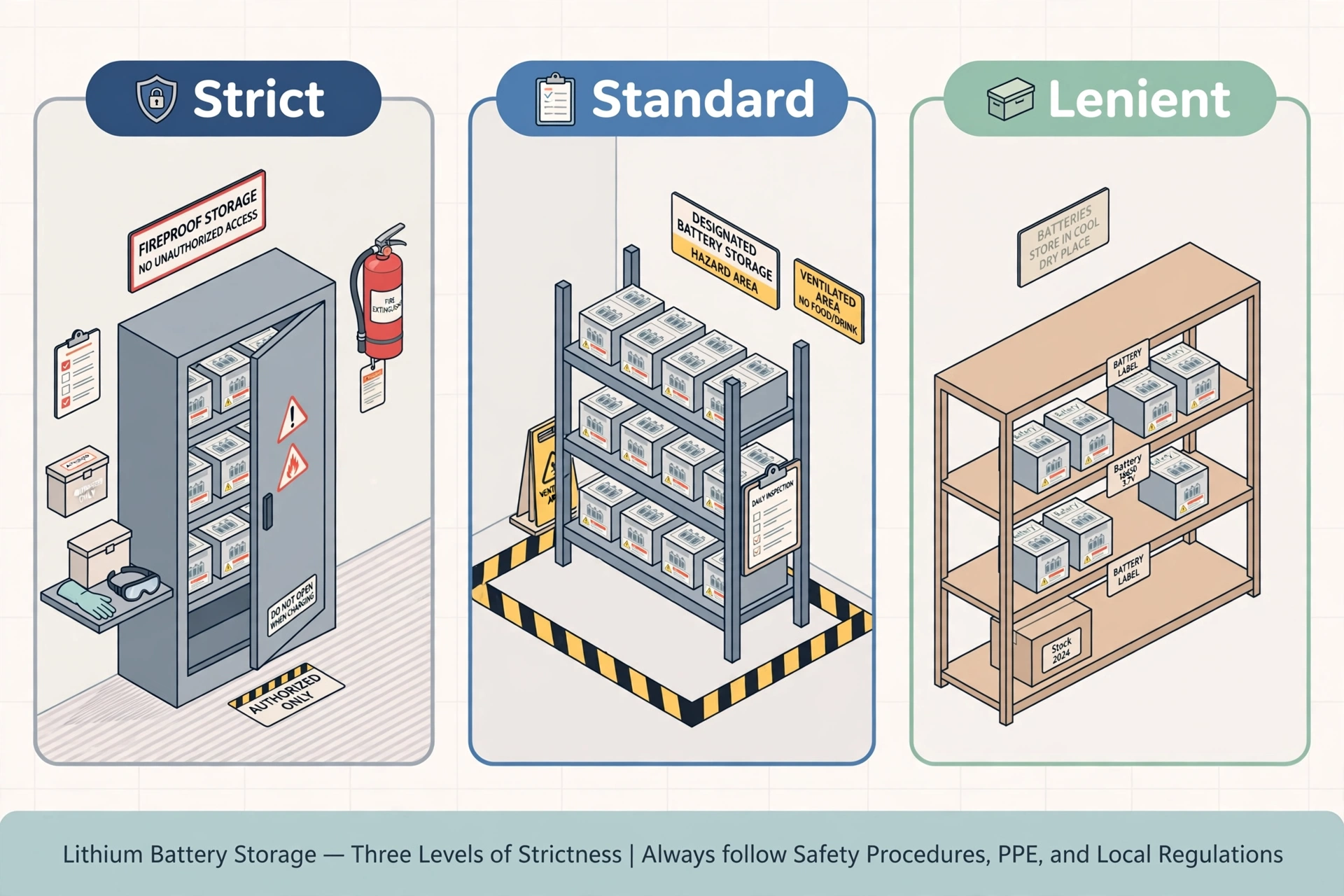
Lithium batteries are Class 9 miscellaneous dangerous goods: damaged, crushed or short-circuited cells can go into thermal runaway and catch fire. The system handles them with a configurable scheme — flag the product once, choose a handling tier per warehouse, and the receiving / putaway / picking / shipping steps enforce the rules automatically. Products you never flag behave exactly like ordinary goods: no extra steps, no prompts.
Step 1 — Flag the product (5 fields)#
Open the product form and expand the "Lithium Battery" section. Check "Contains lithium battery" — the 5 fields appear only after you check it. Leave it unchecked and nothing changes for that product.
- Battery type: li-ion (rechargeable), li-metal (single-use, e.g. coin cells), in equipment (installed in the device, e.g. a laptop), with equipment (packed alongside the device, e.g. a spare battery in the same box).
- UN number — see the chart: lithium-ion shipped alone = UN3480; in/with equipment = UN3481. Lithium-metal shipped alone = UN3090; in/with equipment = UN3091. Enter the UN number manually, with the common numbers shown as a hint.
- Wh rating: the watt-hour rating printed on the battery (required for li-ion). Example: a 5000 mAh / 14.8 V pack ≈ 74 Wh.
- Battery weight (kg): net battery weight — used for lithium-metal declarations.
Flagged products show a 🔋 badge in the product list, and there is a "lithium battery" quick filter. E-bike / e-scooter batteries, power-tool packs, phone and laptop batteries are the usual suspects — check your catalog once.
Step 2 — Choose a handling tier for the warehouse#
Open WMS → Settings → Hazmat (Lithium Battery). Pick a tier card first — it fills in the 6 switches with recommended values, which you can then fine-tune one by one. Changes take effect immediately.
- Strict: for 3PL warehouses and lithium-battery specialists — or anyone facing an airline/carrier audit. Everything on; a wrong putaway is blocked, not just warned.
- Standard (default): for ordinary e-commerce warehouses that occasionally sell battery-containing goods. Key switches on; a wrong putaway shows a warning you can acknowledge and continue.
- Relaxed: for general-goods warehouses where batteries are rare. Only UN-number recording and the damaged-battery isolation flow stay; the rest just inform, never block. Note: the >100 Wh air-shipping block is ON by default in strict and standard, OFF in relaxed — that one is a legal red line, so think twice before turning it off.
Daily operations: receiving, putaway, picking, shipping#
- Receiving: when the inspection switch is on, a lithium-battery line forces an appearance check — tap Intact or Damaged (take a photo). Intact continues normally; Damaged sends the lot straight into the isolation flow below and it never reaches a shelf.
- Putaway: the system only suggests hazmat-zone locations (marked with a red border on the location map) for battery products. If you scan a non-hazmat location: strict tier blocks the task until you move it; standard tier shows a warning you can acknowledge.
- Picking: frozen (damaged) lots are automatically excluded from pick-task assignment — the picker never sees them. Battery lines carry a ⚠️ "handle with care, avoid crushing" note on the pick list.
- Shipping: the Packing Station shows a DG banner (UN number + total Wh + parcel count) for battery orders. With auto-declaration on, a DG declaration PDF prints together with the shipping label. Air shipping with any line over 100 Wh is hard-blocked — pick ground service or split the order.
What to do with a damaged battery#
If you find damage, swelling, leaking or heating — at receiving or during a warehouse walk — do not put it on a shelf and do not pick it. The isolation flow:
- A battery incident record is created automatically (numbered LB-YYYYMMDD-####) with photos and notes; the lot is frozen immediately and can no longer be picked or moved.
- A "move to quarantine" task is generated — take the goods to the marked quarantine location. The incident moves to "isolated".
- Dispose of it (return to supplier or scrap per local hazmat rules) and close the incident — the full trail stays on record. If the battery is smoking or hot, follow your site emergency procedure first (evacuate, call emergency services) and record the incident afterwards.
Safety reminders: store batteries in the hazmat zone away from heat sources; the system can push a temperature alert (default threshold 35°C) if the zone is sensor-equipped; lots stored over 180 days without movement get a re-inspection task to catch swelling early.
Billing: hazmat-zone storage and DG declaration handling are billed through the normal 3PL billing flow (rate-sheet items WMS-HAZMAT-STORAGE and WMS-DG-HANDLING) — no separate invoicing needed.