Warehouse safety red lines: the rules that are never “just this once”
The lines that must never be crossed: people and forklifts separated, aisles and markings kept clear, fire lanes empty and exits unlocked, racks never overloaded, no improvised work at height, and a ventilated battery charging area — why each line exists, what happens when it is crossed, and how to hold it every day.
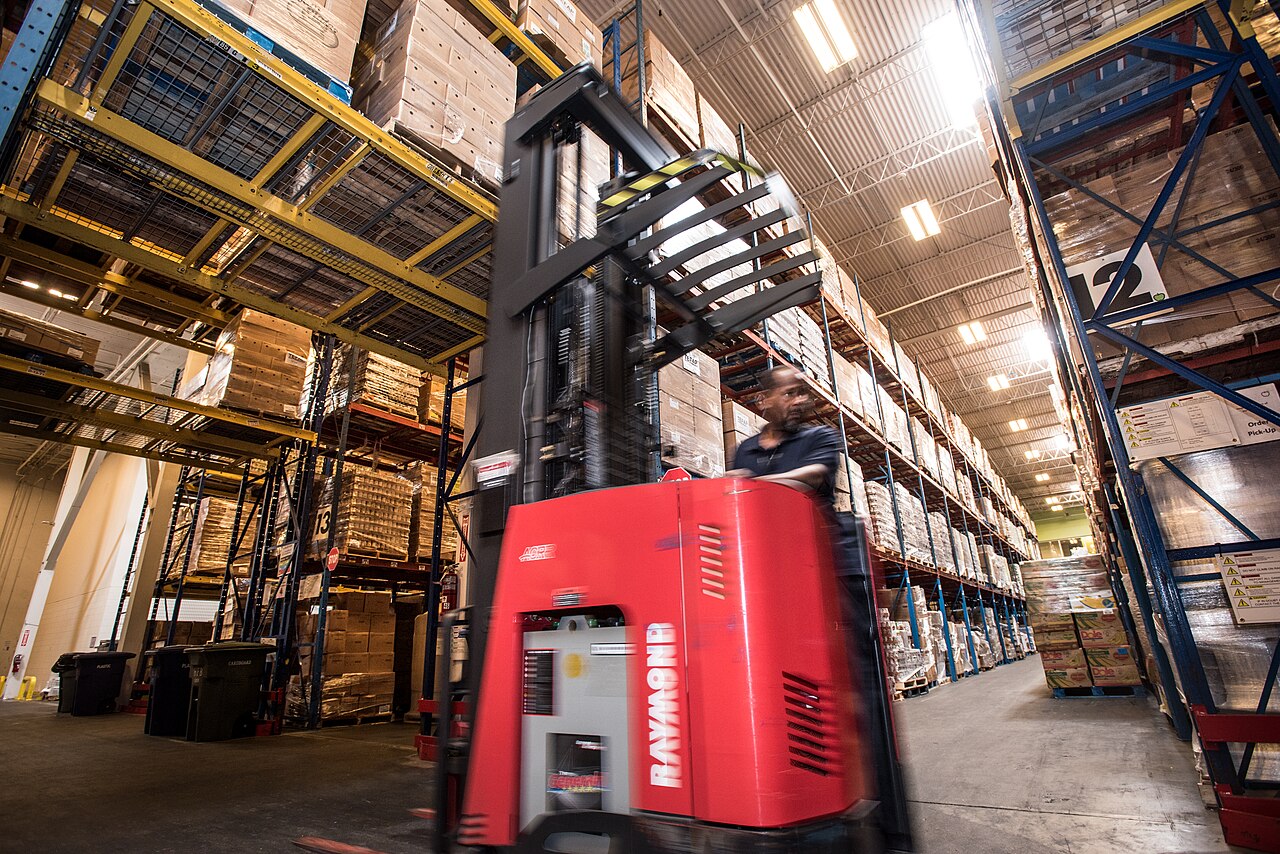
Every warehouse has two kinds of rules. The first kind keeps work tidy and fast, and breaking them costs time or money. The second kind — the red lines in this article — keep people alive and the building standing, and breaking them costs injuries, fires and collapses that no apology or insurance cheque makes interesting again. Red lines are not “best practice” and they are never suspended for a busy day, a big order or a visiting boss. Each one below follows the same shape: why it exists, what happens when it is crossed, and the daily habit that holds it.
Red line 1 — People and forklifts never share the same ground#
Why: a forklift driver sits high, looks up at racks and ahead at loads, and has real blind spots — behind the mast, behind a raised load, and everywhere when reversing. A loaded forklift also cannot stop like a car; it is tonnes of steel that keeps coming. Most fatal warehouse accidents are exactly this meeting: a person on foot and a truck that never saw them. The line is physical, not behavioural: pedestrians get their own marked walkways and pedestrian-only areas (packing is one), forklifts get the wide vehicle lanes, and the two networks cross only at marked crossings where both sides know to look.
The daily habit: walkways are walked, not used as overflow storage; nobody crosses a rack aisle without looking both ways, and nobody — ever — walks behind a reversing truck to “save ten seconds”. Drivers sound the horn at aisle ends and blind corners, travel with forks low, and stop completely when a pedestrian is in doubt. If your warehouse has no marked walkways yet, painting them is a one-weekend job and the cheapest life insurance in this whole article.
Red line 2 — Aisle markings and clear width are not decoration#
Why: marked lines are the warehouse’s traffic law drawn on the floor — walkway edges, vehicle lanes, staging boxes, keep-clear zones in front of doors and electrical panels. The clear width inside them is what lets a truck pass, a person escape, and a fire crew enter. The failure mode is slow and silent: one “temporary” pallet outside the staging box, then a carton, then a whole row — until the aisle that was 3.5 metres is 2, and the first emergency finds out. Rule of thumb: if it is on the floor and outside a marked box, it is wrong, whoever put it there and however busy the day is.
- End-of-shift sweep: the last job each day is walking the aisles and moving anything outside a marked box back into storage — five minutes now beats an accident investigation later.
- Rack-end protection and column guards are checked, not assumed: a bent guard means the rack behind it took a hit, and that hit needs an inspection, not a shrug.
- Damaged or blocked locations come out of service the same day (see red line 4): a location that cannot be used safely must not quietly stay on pick lists.
Red line 3 — Fire lanes stay empty and exits stay unlocked#
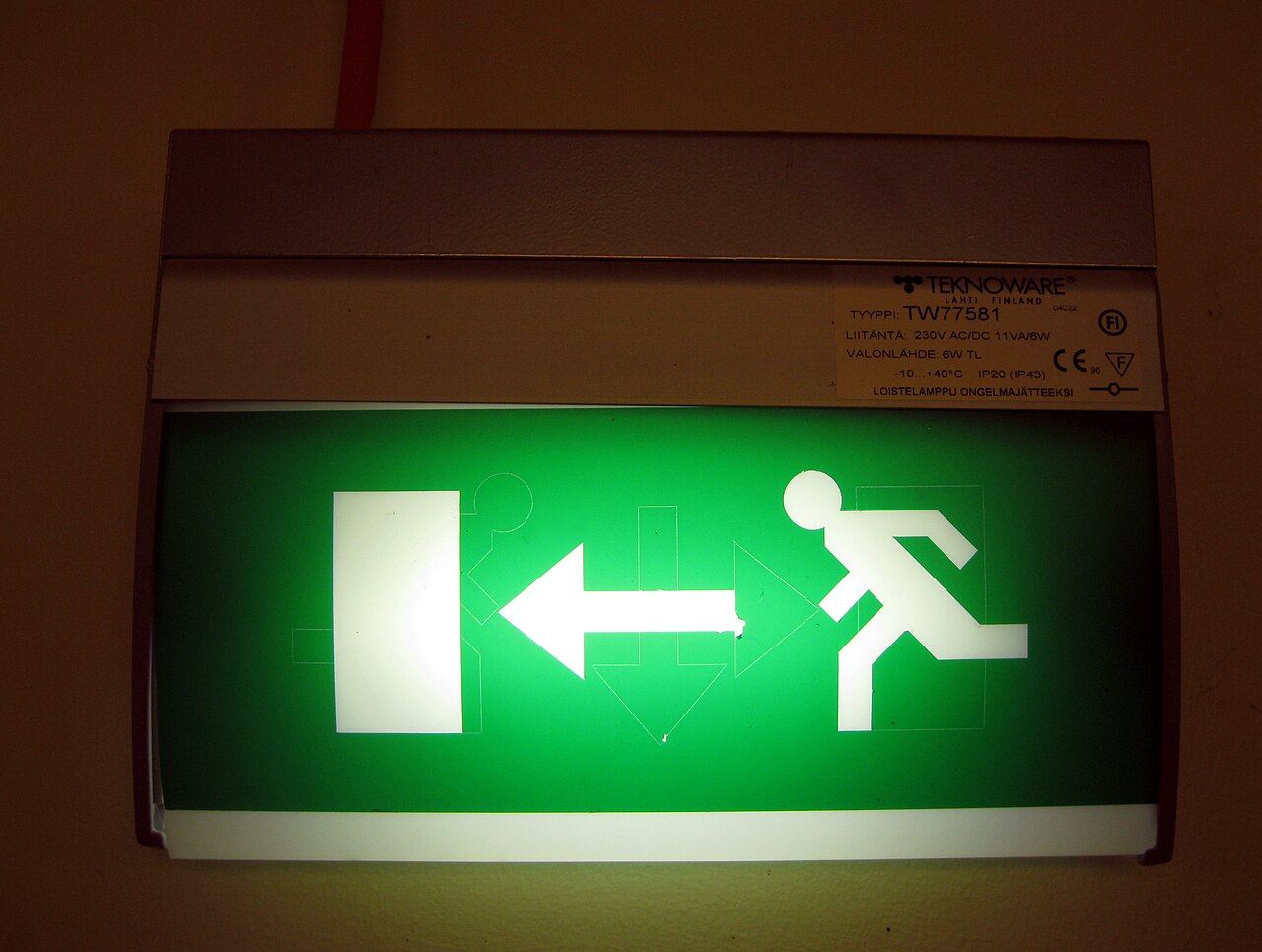
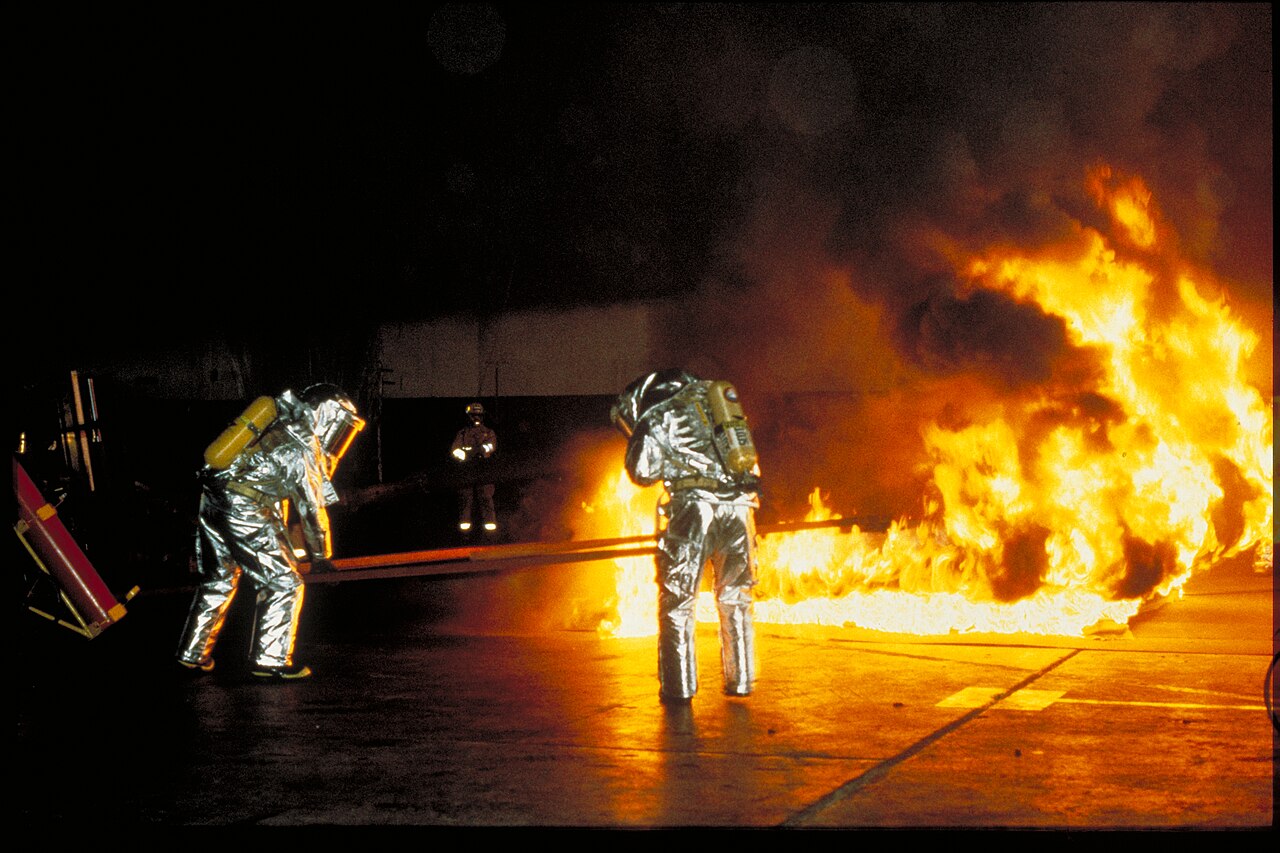
Why: warehouse fires grow fast — cardboard, plastic wrap and racking make a chimney of fuel — and smoke kills before flames arrive. The only reason anyone walks out of a warehouse fire is that the lanes were empty, the exits were unlocked, and the extinguishers were reachable and in date. So this line has no exceptions at all: fire lanes and the floor in front of exits are never storage, not for an hour, not overnight; exit doors are never locked, chained or blocked from either side; extinguishers and fire points are never hidden behind pallets. “We will move it if there is a fire” is the sentence people say before the fire that moves faster than they do.
Holding this line in Docklify terms: safety checks work best as a routine, not a memory. Fire extinguishers and dock equipment are registered as assets, and the checks that protect this line — exit clear, extinguisher in date and reachable, fire lane empty — can be added as items in Assets → Inspection Templates for the relevant equipment type, then worked through on the daily inspection rounds (Assets → Daily Inspection). A check that exists on a list gets done on bad days too; a check that lives in someone’s head does not.
Red line 4 — Racks have a load limit, and damaged racks are out of service#
Why: a rack bay is engineered for a stated load per level and per bay, printed on the load notice that should be fixed to the rack end. Exceed it — one level of unusually heavy pallets, beams moved to a spacing the frame was not rated for — and the failure is not a sagging beam you can watch; it is a sudden collapse that takes the neighbouring bays with it, usually onto the aisle where people walk. The same applies to damage: a bent upright has already lost much of its strength, and it does not announce the day it gives up.
The daily habit is two-part. One: loads are checked at put-away — if a pallet’s weight is unknown or the level is already full of heavy goods, it does not go up “just this once”. Two: any rack hit, however small, is reported the same shift, the affected locations are emptied or cordoned, and they stay out of service until someone qualified says otherwise. In Docklify that out-of-service step is literal: open the location in WMS → Locations and set its status to DISABLED (the form’s USABLE / DISABLED status), so the system stops assigning put-away and picking work there until the rack is repaired and the location is set back.
Red line 5 — Work at height is done from a platform, never improvised#
Why: falls from height are the quiet killers of warehouses, because the improvised versions look harmless: standing on the forks, riding a pallet, climbing the rack beams “just to grab one carton”, a ladder leaned into an aisle where trucks pass. Each one removes every protection at once — no guardrail, no harness anchor, and a moving vehicle or a shifting load as the trigger. The rule is absolute: people go up only in equipment made for people (an order picker with a platform, a cage rated for lifting persons, a proper ladder on flat, protected ground), with fall protection where the site rules require it, and never on forks, pallets or rack steel.
Red line 6 — The battery charging area stays ventilated and boring#
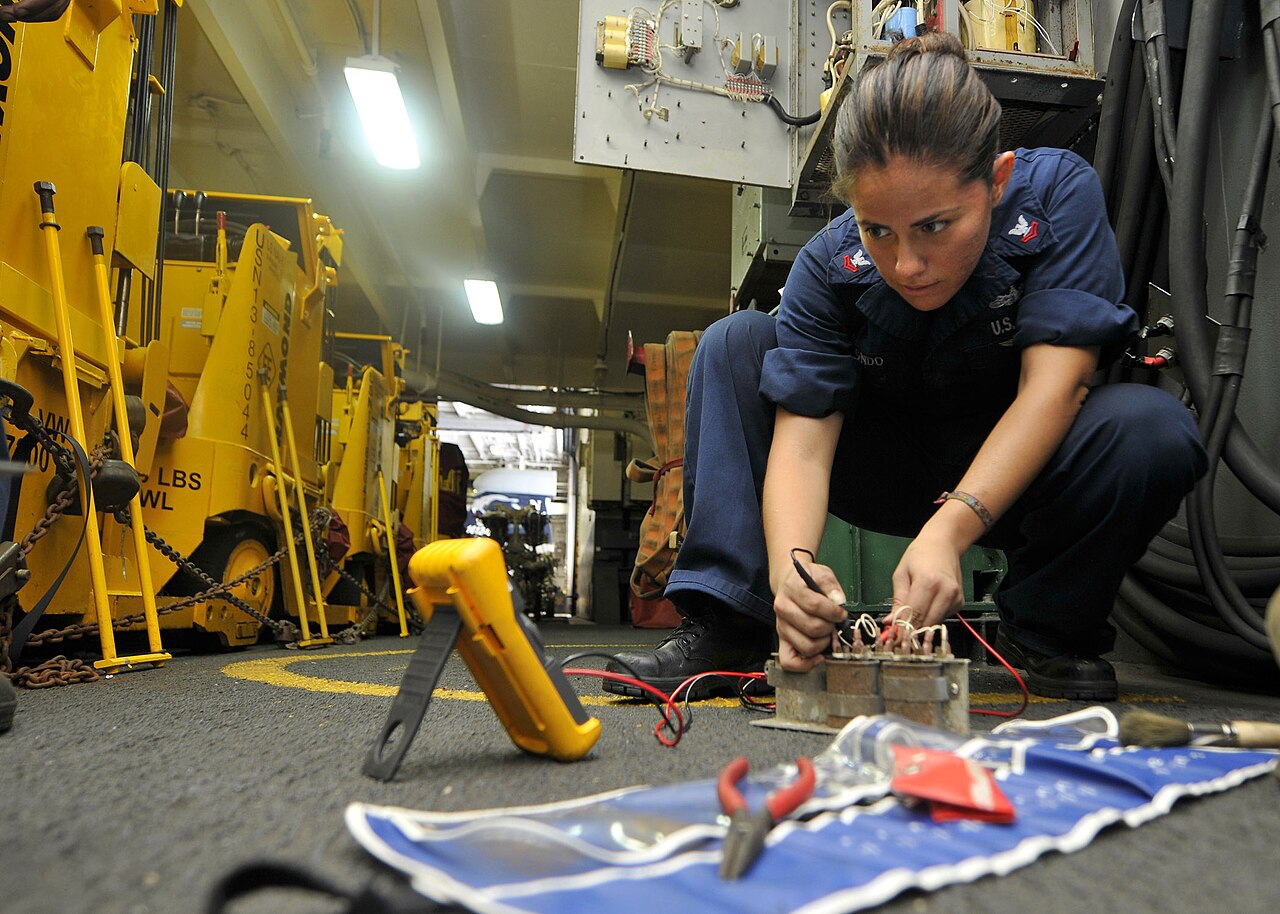
Why: charging lead-acid forklift batteries releases hydrogen gas, and the electrolyte is sulphuric acid. In a ventilated, designated charging area with no sparks, no smoking and eye-wash nearby, that is a managed chemistry set. In a closed corner with a space heater and a pile of cardboard, it is a bomb with a slow fuse, plus acid burns for whoever tops up cells without goggles and gloves. So the charging area is a fixed place with boring rules: ventilation always on, flames and sparks always out, only trained people swap or water batteries, and damaged batteries are reported, not nursed along.
Docklify supports this line from the equipment side: the forklift daily inspection checklist in Assets (based on the OSHA daily check) includes the battery among its items, and a failed critical item flips the truck to Under repair automatically, with a one-tap repair ticket from the failed result. A battery that smells wrong, swells or leaks therefore leaves service through the normal inspection round — it never has to wait for someone brave to report it in person.
The dock door: trucks and people outside the building#
The red lines do not stop at the dock door. Outside, trucks reverse toward people they cannot see, and drivers wander into forklift lanes looking for an office. The habits mirror the indoor ones: trucks come in booked time windows, check in at the gate, and drivers wait in a marked area instead of walking the yard. In Docklify, YMS runs this side: appointments are booked ahead with carrier, driver and plate numbers (YMS → Appointments), and gate check-in/out records who and what entered, with an Entry Ticket scanned again on the way out — so the yard knows which trucks are inside, and a driver is a checked-in guest, not a surprise pedestrian.
When something is already wrong: stop, report, surface it#
Red lines hold only if reporting is safer than hiding. So the last rule of this article: anyone can stop a job that crosses a line — a picker who refuses a bent-rack location, a driver who will not pass a blocked aisle — and stopping is praised, not punished. Damage and near-misses are reported the same shift, in the open. The system side helps by making problems visible instead of whispered: WMS task SLA rules flag overdue work in three places — a red Overdue card on the phone home screen, the Task Monitor board, and the Notification Center, which also carries problems reported on site. A problem that is on a screen with a name and a clock gets fixed; a problem in a corridor conversation gets forgotten by Friday.
The five-minute closing walk#
- ☐ Walkways and aisles clear of anything outside a marked box.
- ☐ Fire lanes empty, exits unlocked and unblocked, extinguishers visible.
- ☐ Any rack hit today reported, and its locations emptied or cordoned and set out of service.
- ☐ Chargers in the charging area, ventilation on, no damaged battery left in service.
- ☐ Dock doors closed or attended, no driver unaccounted for in the yard.
None of these lines is expensive. Paint, habits, a checklist and the discipline to stop a job — that is the whole budget. What is expensive is the day one of them is crossed and everyone learns why it was drawn. Draw them before that day, hold them on the busy days especially, and let “just this once” be the phrase your warehouse is famous for refusing.
Docklify features used in this article#
- Inspection Templates — Assets → Inspection Templates: add site safety checks (exit clear, extinguisher in date, fire lane empty) as items for the relevant equipment type.
- Daily Inspection — Assets → Daily Inspection: run the checks every shift on the phone; a failed critical item locks the asset to Under repair and can raise a repair ticket in one tap.
- Location status DISABLED — WMS → Locations: set a damaged or unsafe location to DISABLED so no put-away or picking work is assigned there until it is repaired.
- YMS Appointments and Gate — YMS → Appointments / Gate check-in: trucks arrive in booked windows and are checked in and out at the gate with an Entry Ticket.
- Task SLA and overdue flags — WMS → Task Rules (SLA tab) and Task Monitor: overdue work is flagged on the phone home screen (red Overdue card), the monitor board and the Notification Center.