Cold-chain warehouses: temperature zones, doors, equipment and people
How a cold-chain warehouse actually runs: chilled, frozen and controlled zones, why the buffer room and fast doors matter, what low temperature does to batteries, scanners and plastic totes, and how to rotate people so nobody works frozen.
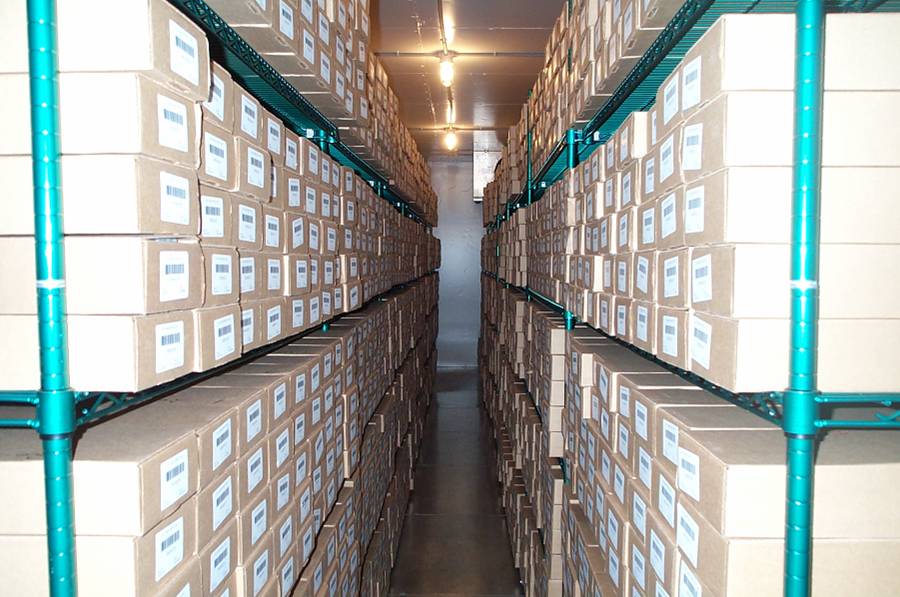
A normal warehouse sells space and speed. A cold-chain warehouse sells one thing first: temperature. The goods — fresh food, frozen food, medicine, cosmetics — are only worth their price while they stay inside their temperature band. A pallet of ice cream that spent one warm afternoon on a dock is not slightly worse stock; it is a total loss, and often a food-safety problem as well. So everything in this article hangs off one question: how do you keep the cold in, from the minute a truck arrives to the minute it leaves?
Temperature zones: first decide how cold each product must live#
Cold is not one temperature. Chilled goods like milk, yogurt and fresh meat live at 0–4 °C: cold enough to slow bacteria, warm enough not to freeze the product itself. Frozen goods — ice cream, frozen meat, dumplings — live at −18 °C or below; many sites run −20 to −25 °C to leave a safety margin. A third band is the controlled or ambient-cool zone, roughly 15–25 °C, for goods that hate heat but must never freeze: chocolate, some medicines, red wine, some cosmetics. The beginner mistake is to treat the bands as interchangeable. Chilled goods put in the freezer freeze solid and are ruined; frozen goods put in the chiller thaw slowly and are ruined more quietly. The zones are separate rooms with separate doors for a reason.
| Zone | Temperature | What lives there | Watch out |
|---|---|---|---|
| Chilled | 0–4 °C | Milk, yogurt, fresh meat and fish, cut fruit, ready meals | Freezing ruins it — never park chilled goods in the freezer “for a while” |
| Frozen | −18 °C or below | Ice cream, frozen meat and seafood, frozen dough and ready foods | Every door opening costs temperature; work in short, planned bursts |
| Controlled | About 15–25 °C | Chocolate, some medicines, red wine, heat-sensitive cosmetics | It fails quietly in summer — it needs cooling too, just gentler |
In Docklify the temperature band is data, not memory. Each product carries a temp_zone on its item record (ambient / chilled / frozen / controlled), and each location carries the same temp_zone field. Locations can also be grouped with Location Groups (WMS → Location Groups) — a cold-store group, a freezer group — and when the system suggests put-away locations, it matches the product temp_zone against the location temp_zone, so a frozen pallet is not suggested into a chilled or ambient slot. Set the fields once, when products and locations are created, and every later suggestion works from them.
The buffer room and the doors: where the cold escapes#
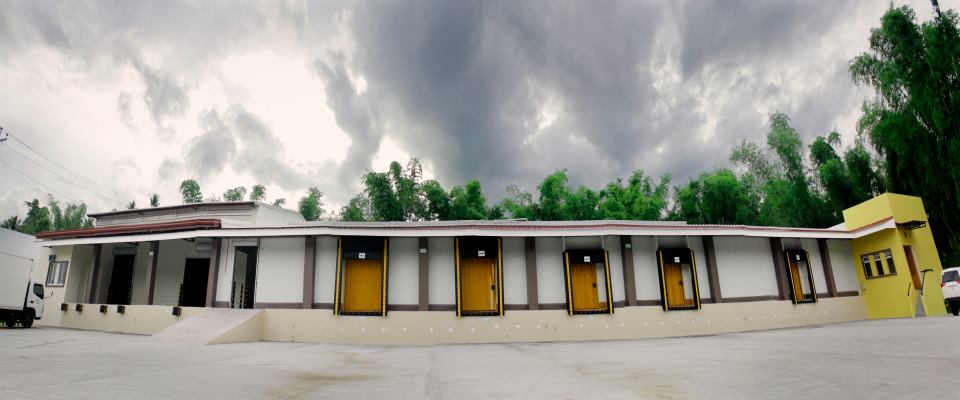
Between the warm dock and the cold room, a good cold store puts a buffer room (also called an anteroom or airlock). It is a small in-between space held at an in-between temperature — say 5–10 °C outside a freezer. Goods pause here, doors on both sides are never open at the same time, and the temperature step the product feels is two small steps instead of one big shock. Without a buffer, every forklift trip drags a lungful of warm, wet air straight into the freezer. That moisture freezes on the evaporator coils, on the floor and on the cartons: the plant works harder, the floor turns to ice, and labels frost over until barcodes will not scan.
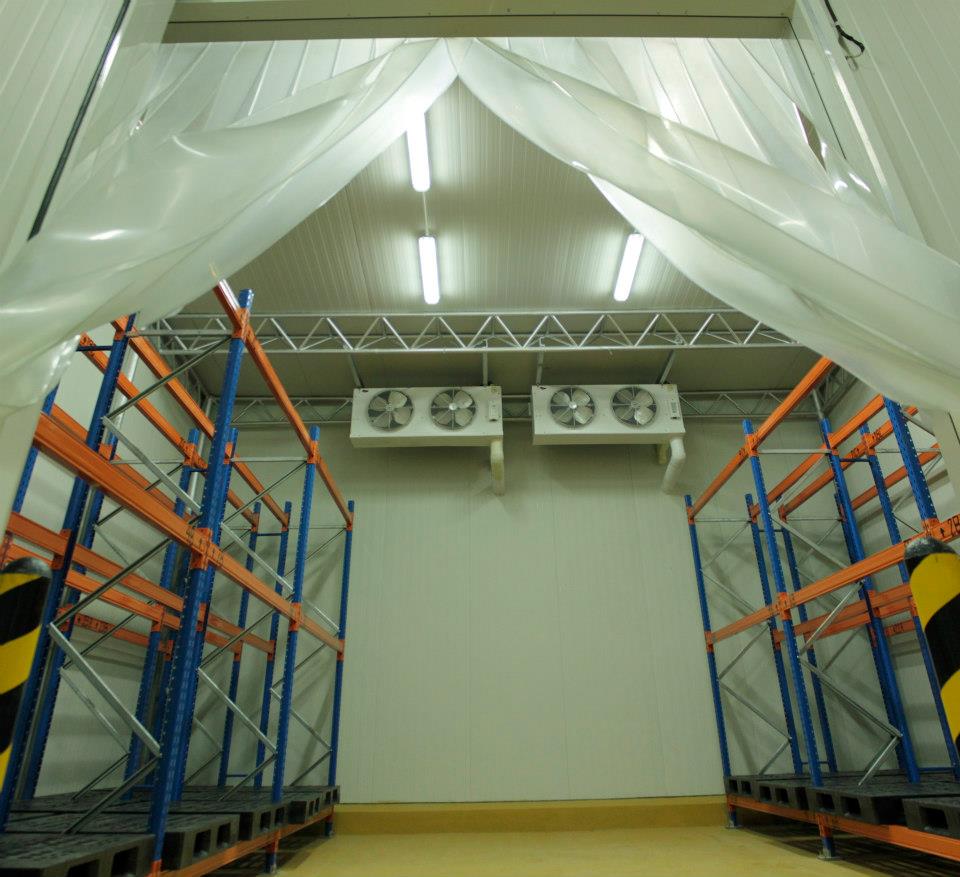
Doors do the rest of the work. High-speed roll-up doors open and close in seconds, so a forklift does not wait with the door gaping. Strip curtains and air curtains cover openings that must stay passable: they are not as tight as a door, but far better than an open hole. Dock shelters and seals close the gap between truck and building so loading happens “indoors”. The operating rules matter as much as the hardware: never prop a cold door open, batch trips so the door opens for five pallets instead of one, and treat any door found standing open as an incident, not a habit. Electricity for refrigeration is usually the biggest running cost of the building — most of it leaves through the doors.
The buffer room needs a system address too, not just floor paint. In Docklify, the floor squares in the buffer and in front of the cold rooms are created as staging locations (WMS → Locations, location type = staging), and dock aprons as dock locations. Inbound pallets land on a staging location first and move to their cold location on the put-away task, so anyone can look up which pallets are still sitting in the buffer and which have already gone cold. A pallet that exists on the floor but not on a location is how “forgotten in the buffer until it thawed” happens.
Receiving: minutes at room temperature are the enemy#
Cold-chain receiving starts before the doors open. Check the truck temperature first — the reefer display and, for important loads, a probe or the data logger record — and write it on the receiving note. A frozen load that arrives at −8 °C warmed up on the road; accepting it silently means the loss becomes yours. Then work in the right order: frozen pallets go through the buffer into the freezer first, chilled second, controlled-zone goods last, because that is the order of how fast they get hurt. Counting matters, but in a cold store counting happens in the buffer or at the cold-room door, not spread out on a warm dock for an hour. If quantity and paperwork disagree, park the pallet in the buffer, note the difference, and let the office argue — do not let the goods argue in the warmth.
In Docklify, receiving runs on receipt orders (WMS → Receipts): create the order by hand or by bulk import, and the receiving task is dispatched to the mobile app. The team counts and confirms on the phone right there in the buffer — pallet by pallet, with lot and expiry recorded for the products that track them — and the put-away task follows straight away, so a received pallet does not sit unassigned while someone walks a paper note to the office.
Outbound: load cold last, unload cold first#
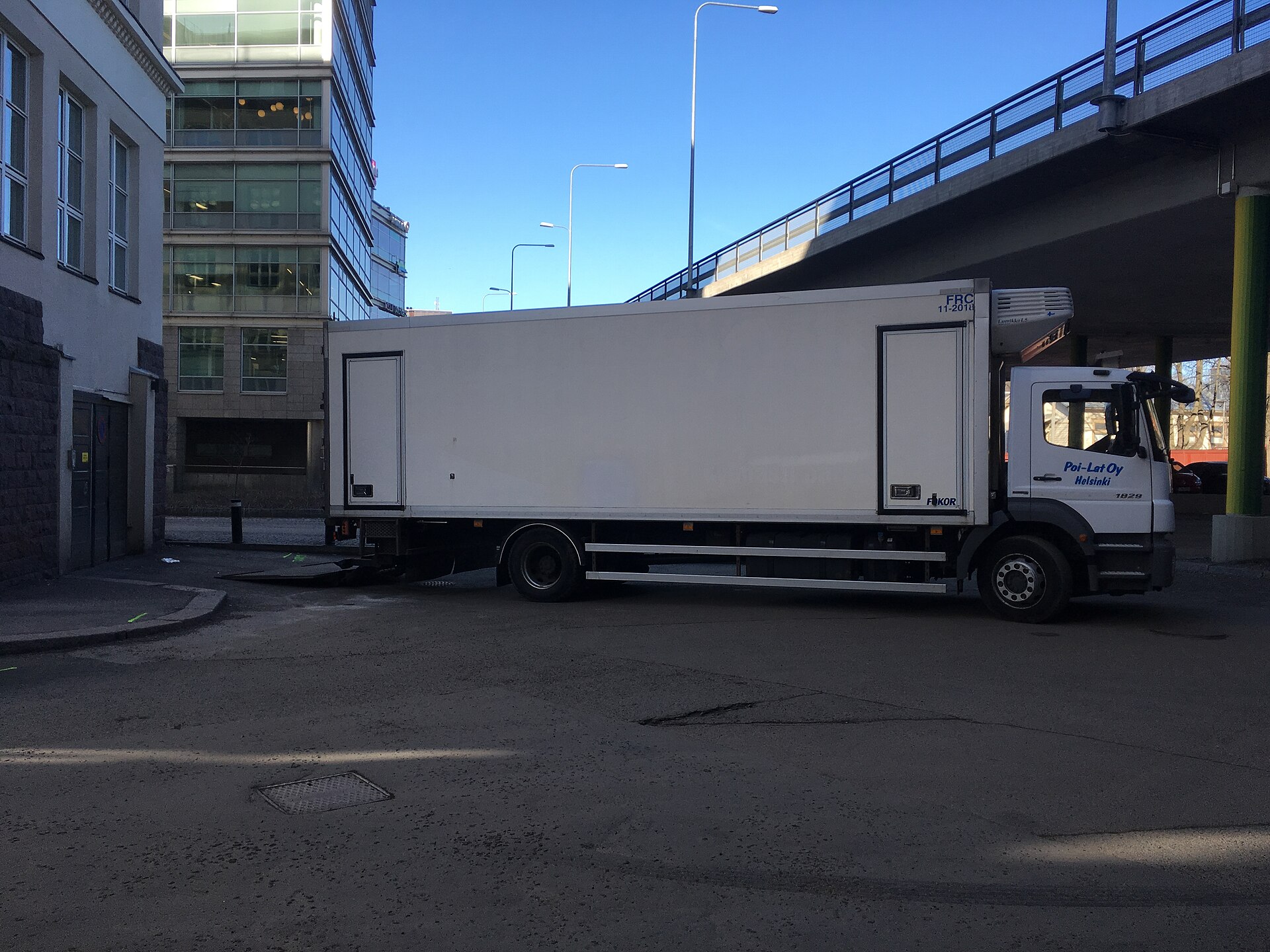
Outbound is receiving in reverse, with the clock running louder. The truck is pre-cooled before it backs in — loading cold goods into a warm box spends the first hour just cooling the box. Picking for cold orders is batched so pickers make fewer, shorter trips into the freezer; picked pallets wait in the buffer or the chiller, never on the warm dock. On a mixed load, temperature-controlled goods are loaded last and planned to come off first at the other end. Insulated boxes, gel packs and dry ice belong to the packing step for small-parcel cold orders, and the packing bench for those orders should sit as close to the cold rooms as the layout allows.
In Docklify, cold orders mark themselves. When any line of an outbound order is a product with a temp_zone set, the order automatically carries the needs_temp_control flag, shown in the Order Attributes area of the outbound order (WMS → Outbound Orders). The packing team can see at a glance which orders need insulated packing and priority handling, and the orders list can be worked so those orders are packed last-before-dispatch instead of sitting sealed and warming on a bench.
Equipment in the cold: batteries, scanners and plastic all change behaviour#
Everything you bring into a cold room works worse there, and pretending otherwise gets expensive. Cold slows the chemistry inside batteries, so a scanner or a forklift that lasts a full shift at room temperature may give you two-thirds of that in the chiller and noticeably less in the freezer. Plastic that is tough at 20 °C turns brittle below freezing: standard totes crack when dropped, and shrink wrap goes stiff. Screens respond sluggishly, thick gloves fight touchscreens, and every trip from cold to warm paints a layer of condensation on lenses and electronics. Plan for the physics instead of blaming the equipment.
- Batteries: keep spare batteries and charged scanners warm outside the cold rooms, rotate them in, and never charge a freezing-cold battery straight off the shelf — let it come back toward room temperature first. Size the fleet for winter numbers, not for the brochure.
- Scanner condensation: when a cold scanner comes out into warm air, the lens fogs and barcodes will not read. Wipe and wait a minute rather than shaking the device; better, keep dedicated scanners inside each zone so devices stop crossing temperatures all day.
- Plastic totes and pallets: below zero, standard plastic turns glassy. Use low-temperature-rated totes in the freezer, drop nothing, and expect a higher breakage rate in the budget — a tote that survives a summer of drops may die on its first frozen fall.
- Labels and adhesives: ordinary label glue lets go in the cold. Use freezer-grade labels on anything that lives in the freezer, and apply labels before goods go cold whenever you can — glue sticks to a warm, dry carton far better than to a frosty one.
- Forklifts: hydraulic oil thickens, tyres harden and floors grow ice films, so everything gets a little slower and a little less grippy. Cold-rated trucks live inside the zone; a warm truck repeatedly driving into the freezer imports moisture on every trip.
One small habit saves the shift when lenses fog: in Docklify’s mobile app, every scan field also accepts typing the code by hand and picking from a list, so a picker whose scanner is fogged can key in the location or pallet code and keep moving instead of standing in the freezer waiting for the lens to clear. Cold work rewards teams that never stand still.
Lots and expiry: first-expired, first-out#
Most cold-chain goods are food or medicine, which means they carry a second clock besides temperature: the expiry date. The same SKU can sit in your freezer in three lots with three different dates, and they are not interchangeable. Shipping the newest lot while the oldest quietly expires is how a warehouse throws away full pallets of good-looking stock. The discipline is FEFO — first-expired, first-out: pick the lot that expires first, every time, unless a customer contract says otherwise. It only works if the date was captured honestly at receiving: a lot received without an expiry date is a lot the system cannot protect later.
In Docklify this runs in the WMS picking rules: FEFO is the W-K-H2 picking rule (first-expired, first-out), and it is mutually exclusive with FIFO — you enable one of the two, not both. When a pick is suggested, the suggested pallet is chosen FEFO-first among the lots with available stock, and the lot inventory view lists stock in FEFO order so planners can see which dates are coming up. Products flagged for expiry tracking must have an expiry date entered at receiving; the system refuses a receipt without one, which keeps the FEFO chain fed with real dates.
People in the cold: work short, warm up often#
The last cold-chain system is the human body, and it has the hardest limits. Manual work in a chiller is sustainable with proper clothing; work in a −20 °C freezer is not an eight-hour continuous job for anyone. Sites rotate freezer work in blocks — a common pattern is 30–50 minutes inside followed by a real warm break outside, with the next block done by someone else or after warming up. Hands go first: cold fingers lose the dexterity that safe picking and scanning need, which is why freezer picks are planned to be simple and short. Frostbite and slips on icy floors are the two injuries that actually happen; both are scheduling failures, not bad luck.
- Dress in layers with a real freezer suit, insulated gloves and safety shoes with grip — and keep a dry spare set, because a damp layer at −20 °C stops insulating.
- Rotate on a schedule, not on complaints: the roster says who is in the freezer this block, and breaks are taken before people feel they need them.
- Never work alone in a freezer, and know the door rule: every cold room door must open from the inside, and everyone checks the alarm button location on day one.
- Watch the floor, not just the thermometer: meltwater that refreezes at the door line is the classic slip point — scrape and salt the threshold on schedule.
The four classic cold-chain failures#
- The propped-open door. Someone wedges the freezer door for a “quick” loading job and the temperature alarm tells the story an hour later. Doors close; trips get batched.
- The warm-dock wait. A received load queues on the dock behind paperwork while its temperature climbs. In a cold store, temperature is checked first and paperwork chases the goods, never the other way round.
- The wrong-zone put-away. Chilled goods frozen solid in the freezer, frozen goods softening in the chiller — both start as one hurried put-away into “any free slot”. Temp-zone fields and put-away suggestions exist precisely to make the wrong slot the hard choice.
- The silent power cut. A night outage warms the rooms and the morning team finds stock that looks fine and is not. The rule: after any outage, temperatures and times are reviewed before anything ships — when in doubt, the load does not go.
Run a cold store and you are really running three disciplines at once: keep the temperature bands separate, keep the doors shut, and keep people rotating. The buildings and the kit matter, but the sites that lose money on cold chain almost never lose it on equipment — they lose it on a door, a wait, or a wrong slot. Start with those three, and the rest of this article is refinement.
Docklify features used in this article#
- Product and location temp_zone fields (ambient / chilled / frozen / controlled) with put-away suggestions matched by temperature — WMS → Locations and product records
- Location Groups for cold-store and freezer location groups, one location in several groups at once — WMS → Location Groups
- Buffer and dock floor space created as staging and dock location types — WMS → Locations
- Receipt orders with mobile receiving tasks; lot and expiry captured at receiving — WMS → Receipts
- needs_temp_control flag derived automatically on outbound orders containing temp_zone products, shown in Order Attributes — WMS → Outbound Orders
- FEFO picking rule W-K-H2 (mutually exclusive with FIFO), FEFO-first suggested pallets and FEFO-ordered lot inventory — WMS picking rules
- Mobile scan fields with manual code entry and list picking as a fallback when a lens fogs — WMS mobile app