INV-04 Inventory by Serial
Serial-level in-stock list by status, SKU and location.
This report counts individual serial numbers currently in stock, grouped by status, SKU and location. It uses real-time data, so it reflects the serials registered when you run it.
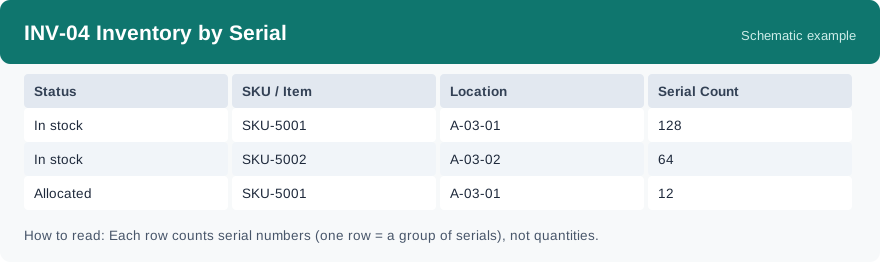
What this report is for#
Use it for goods managed one piece at a time: to check how many tracked units of a SKU are in stock, where they sit, and what status they are in.
How the numbers are counted#
This report counts the serial records currently registered, grouped by serial status, SKU and location. The number in each row is a count of serial numbers — how many individual serials fall in that group. It is not a quantity sum: do not read it as a quantity total.
Dimensions and filters#
- Status — the status of the serial numbers
- SKU / Item — the product
- Location — where the serials are stored
- Serial Count — how many serial numbers are in the group
- Filters you can set: Warehouse
How to read it#
Each row groups serials that share the same status, SKU and location, and the Serial Count says how many individual units that is. To know how many tracked units of a SKU you hold in one warehouse, set the warehouse filter and add the counts for that SKU across its rows, keeping the statuses apart.
Typical uses#
- Check how many serial-tracked units are in stock before promising a shipment
- Find which locations hold serial-tracked goods
- Compare serial counts by status during a stock check
Reports features used in this article: pick this report in Reports, set the warehouse filter and click Run to see the result; use Export to download the result as a CSV file; or use Subscribe to have the same view sent to your inbox on a schedule.
Note on subscriptions: your subscription and its filters are saved right away. Scheduled email delivery is being switched on in stages — sending starts as soon as delivery opens for your organization.