Aisle width and forklift matching: wide aisles, narrow aisles and VNA
Wide aisles (about 3.5 m and up, counterbalance trucks), narrow aisles (about 2.5–3 m, reach trucks) and very narrow aisles (about 1.8 m, turret trucks) compared — width, truck, density gain and the price you pay — plus why aisle width must be measured for turning, not just for driving straight.
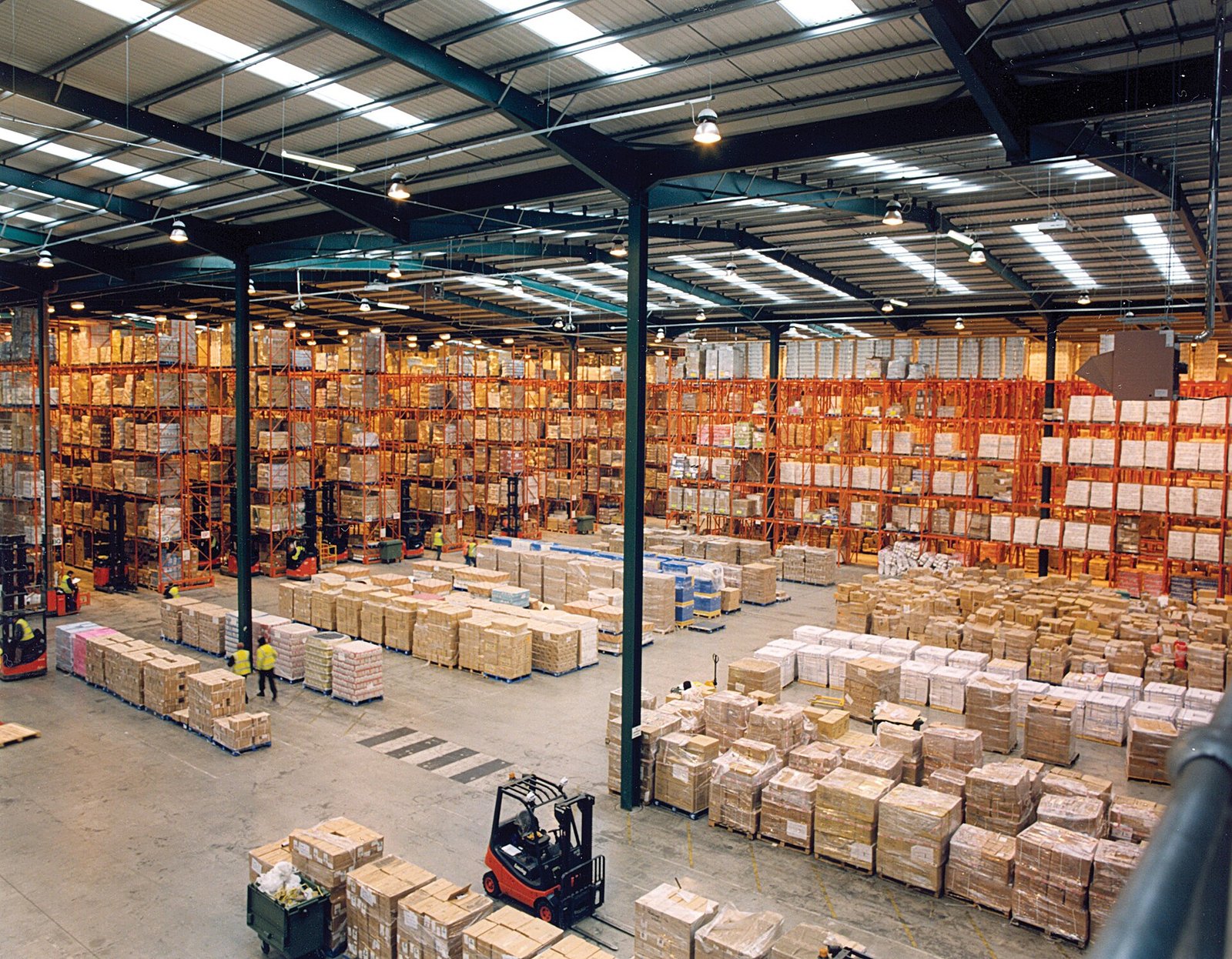
An aisle is floor you pay rent on but cannot stack goods in. Its width is decided by one thing: the forklift that has to turn inside it, pallet on forks, and face the rack squarely. Make the aisle a metre wider than the truck needs and you have bought flexibility with storage positions. Make it a metre narrower and the truck physically cannot work the rack — no training course fixes geometry. So aisle width is not a racking decision or a truck decision; it is one decision, taken once, in metres, with the truck’s turning figures in hand.
The three aisle families in one table#
| Aisle family | Typical aisle width | Truck that works it | Density versus wide aisle | The price you pay |
|---|---|---|---|---|
| Wide aisle | About 3.5 m and up (often 3.6–4 m) | Counterbalance forklift (sit-down, diesel/electric) | Baseline — the standard to compare against | Most floor given to aisles; fewest pallet positions |
| Narrow aisle | About 2.5–3.0 m | Reach truck (stand-up, mast reaches forward) | Roughly +20–30% more positions on the same floor, order of magnitude | Dedicated rack trucks (no dock work), flatter floor needed, slower travel |
| Very narrow aisle (VNA) | About 1.6–2.0 m (often quoted around 1.8 m) | Turret / swing-reach truck (forks rotate, truck does not turn) | Roughly +40–50% more positions, and often taller racks too | Most expensive trucks, guidance (wire/rail), very flat floor, one truck per aisle pace |
Where do those density gains come from? Not from the rack — from the ratio. In a wide-aisle block, aisles can swallow close to half the floor. Halve the aisle width and the same building fits extra rack rows in the saved strips; that is the whole trick, and also the whole cost: everything the truck used to do with space — turning, passing, staging a pallet for a moment — must now be done with precision instead. Density is never free; it is bought with truck money, floor quality and driver discipline. The figures in the table are orders of magnitude for planning, not promises: your real gain depends on bay depth, cross-aisles and how much staging floor your operation honestly needs.
Wide aisles: the counterbalance does everything#
The counterbalance forklift — driver seated, counterweight at the back, forks at the front — is the truck almost every warehouse already owns. It loads trucks at the dock, unloads containers, works the yard in many sites, and serves the racks. That range is exactly why it needs room: it turns with its whole body, carrying the pallet in front, so its right-angle stacking aisle lands around 3.5 m and up for standard pallets. Choose wide aisles when your SKUs and order pattern change often, when one small fleet must do every job, or when volumes do not yet justify dedicated rack trucks. Flexibility is a real asset; it just rents by the square metre.
In Docklify, a wide-aisle layout usually means more floor-level picking locations and staging room in front of the racks. Keep those floor positions as proper locations in WMS → Locations (picking or staging type), so a pallet “parked for a minute” in the aisle end is a system location with stock on it — not an invisible pile the next shift has to guess about.
Narrow aisles: the reach truck trades range for width#
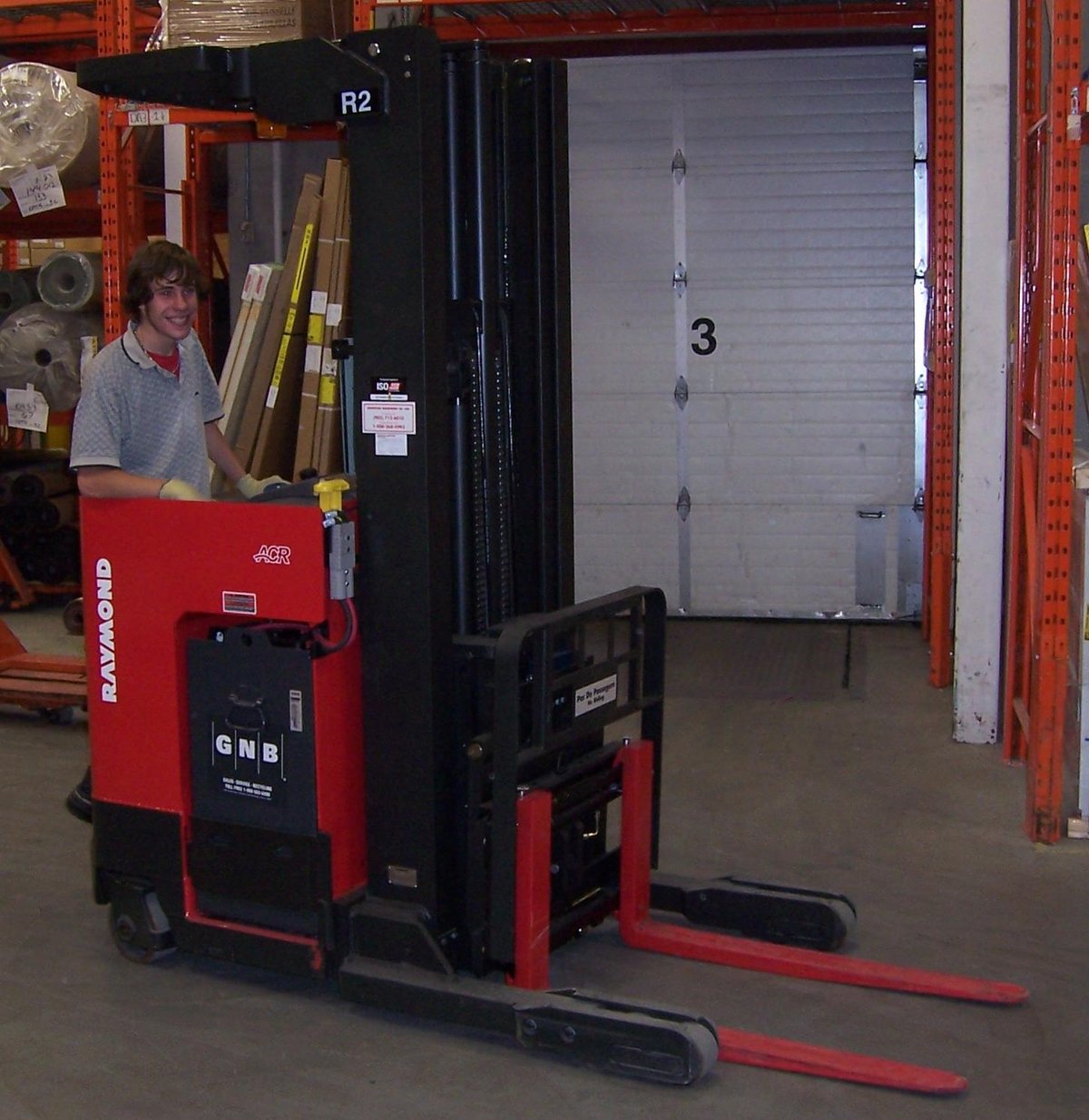
A reach truck does not drive its forks under the pallet by moving the whole truck; it stands still and reaches — the mast or the fork carriage extends forward into the rack. Because the truck itself never has to swing its tail across the aisle, it works aisles around 2.5–3.0 m and still lifts respectably high. The operator stands sideways, which is fast for short rack runs and tiring on long dock hauls — and that hints at the trade: reach trucks are rack specialists. Their small wheels and high centre of gravity dislike dock plates, yard concrete and trailer beds, so a narrow-aisle warehouse still keeps a counterbalance or two for the dock. Budget for both fleets, or the narrow aisle saves rent and spends it on double-handling.
Floors matter more as aisles narrow. A reach truck at eight metres of lift leans its mast over the load; small floor bumps and sloped joints that a counterbalance shrugs off become swaying loads and rack strikes. Before committing to narrow aisles, have the floor checked for the flatness the truck maker specifies — grinding or overlaying a floor costs real money, and discovering the requirement after the racks are up is the expensive order to learn things in.
VNA: the truck stops turning altogether#

In a very narrow aisle — around 1.6–2.0 m — there is no room for any truck to turn, so the turret truck does not try. It travels straight down the aisle, often guided by a buried wire or a floor rail so the driver does not steer at all, and at the bay it rotates just its fork head 180 degrees to serve the left rack, the right rack, or face forward. That is what buys both the narrowness and the height: VNA trucks commonly work 10–15 m racks that reach trucks cannot. The bill arrives elsewhere: the trucks are the most expensive per unit, guidance and a very flat floor are mandatory, a second truck cannot pass a working one in the same aisle, and a breakdown blocks the whole aisle until it is cleared. VNA is a commitment to one way of working, made with eyes open.
Before narrowing anything on paper, preview it in WMS → 3D Warehouse: lay the rack blocks out with the new aisle widths, and look at what the narrower aisles did to your cross-aisles, staging aprons and dock approach — the model shows the whole floor at real size, located by code, zone and type, and aisle “savings” that quietly ate the staging area are obvious at a glance. Aisle width is a floor-plan decision; judge it on the floor plan, not on a per-aisle calculation.
Measuring an aisle: turning room, not straight width#
The number that matters has a name: right-angle stacking aisle — the width in which that specific truck, carrying that specific pallet, can turn 90 degrees and place the load. Manufacturers publish it per truck and load size; it is always larger than the truck’s own turning circle suggests, because the pallet corners sweep the widest arc. Two aisles can both measure 3.0 m on a tape and behave completely differently: one is rack face to rack face with flush loads, the other loses 100 mm each side to pallet overhang, upright protectors and a fire column — and the truck that “fits 3.0 m aisles” fits only the first one.
- Measure rack face to rack face, then subtract what intrudes: load overhang past the beams, upright guards, sprinkler drops, column cladding.
- Use the biggest pallet and the tallest, least stable load you really handle — the published aisle figure assumes a standard load behaving itself.
- Check the aisle ends, not just the middle: turning out of an aisle into the cross-aisle needs its own space, and that is where staging pallets creep in and steal it.
- Test with the real truck and a real load before the racks are anchored. A morning of testing is cheaper than a building full of 100 mm-too-narrow aisles.
People are part of the width calculation too. In wide aisles a picker on foot and a passing truck can share the space with discipline; in narrow and VNA aisles the rule flips — nobody walks an aisle a truck is working, full stop, and pedestrian routes are planned outside the rack block. If your operation relies on people picking from the floor level of the same aisles the trucks serve, that fact alone can veto VNA no matter what the density table promises.
The cost of a wrong match#
- Truck bought first, aisle measured later: the classic. The reach fleet arrives, the floor fails the flatness check, and the choice becomes grinding the floor or parking the trucks.
- Aisles narrowed, old fleet kept: the counterbalance that used to serve the racks no longer fits, so every top-level job waits for the one truck that does — a queue forms at exactly the busiest hours.
- One VNA truck, no backup: density plans assume the aisle is always served. A single breakdown, battery swap backlog or absent driver idles a whole aisle of stock.
- Density up, speed down: narrower aisles mean slower, more careful driving and no passing. Count picks per hour in the new layout, not just positions — some warehouses trade 40% more positions for 20% slower picking and come out behind.
The safe order of decisions runs backwards from the goods: fix the pallet and load size, pick the truck that handles them at the height you need, take the aisle width from that truck’s stacking figure, and only then draw the rack blocks. When the layout changes later — a move from wide to narrow aisles, say — rebuild the location codes to match in Docklify first (WMS → Locations, with bulk import for a whole block), print the new labels, and only then move steel. System first, labels second, steel last: the same order that keeps a new warehouse honest keeps a conversion honest too.
Cross-aisles and aisle ends: where the turning really happens#
Every aisle calculation quietly assumes the truck can get in and out. The cross-aisle at the end of the block is where trucks turn between aisles, queue for a moment, and — in wide-aisle layouts — where the counterbalance does its real turning. Shrink the cross-aisle to feed the density table and the whole block slows down: trucks reverse out, wait for each other, and clip the end uprights that now stand exactly where a turning tail wants to be. Keep end uprights protected and the cross-aisle clear of staging; its width belongs to the same calculation as the aisle itself.
Traffic rules change with the width. Wide aisles can run two-way with care. Narrow aisles usually run one truck at a time per aisle segment, with passing only at the ends. VNA aisles are single-truck territory outright. Write the rule into the floor — arrows, one-way markings, and a hard rule that a working aisle is a closed aisle to pedestrians — because a rule that lives only in a handbook loses to a deadline every time.
- Do the rent sum honestly: positions gained × what a position is worth to you, against trucks, floor work and guidance — in that order, not the salesman’s order.
- Count the hidden positions: staging, battery charging and a parking home for every truck all come out of the same floor the density table just spent.
- Pilot one block first. Convert a single block, run it for a month with real orders, and let the measured picks per hour — not the brochure — decide the rest of the building.
- Keep one wide route through the building whatever you choose: oversize loads, rack repairs and the fire crew all need a way in that a turret truck cannot provide.
Docklify features used in this article#
- Locations for floor and rack positions — WMS → Locations → New location: rack bays as storage locations, floor pick and staging positions as picking / staging locations.
- 3D warehouse view — WMS → 3D Warehouse: preview new aisle widths at real scale, locate by code, zone and type, and check cross-aisles and staging aprons before moving steel.
- Bulk import locations — WMS → Locations → Import: rebuild a whole block’s location codes from a spreadsheet when aisle layout changes.
- Location types drive the work — put-away, picking and staging rules follow the Location Type set per location, so aisle-side floor positions and rack positions behave differently by design.