Storage by category: the right rack for every kind of goods
Full pallets, small parts, garments, long materials and high-value goods each need a different rack form, slot size and way in and out. This guide walks through all five, category by category.
New warehouses often start with one rack type for everything, and it works — until it does not. Small cartons vanish on deep pallet beams. Long pipes stick out of pallet slots into the aisle. A dress shirt comes off a shelf folded into a crease that no customer will accept. The rack is not just furniture: its shape decides how fast goods move, how much space each unit eats, and how much damage happens on the way in and out.
Before choosing a rack, answer three plain questions for each category. How does it arrive — full pallet, loose cartons, on hangers, in long bundles? How does it leave — full pallet again, or piece by piece into customer orders? And what is it like — heavy, fragile, easy to steal, easy to crush? The five sections below are just those three questions answered five times. Read the ones that match your goods; most real warehouses end up using three or four of the five forms side by side.
Full pallets: beam racking and storage locations#
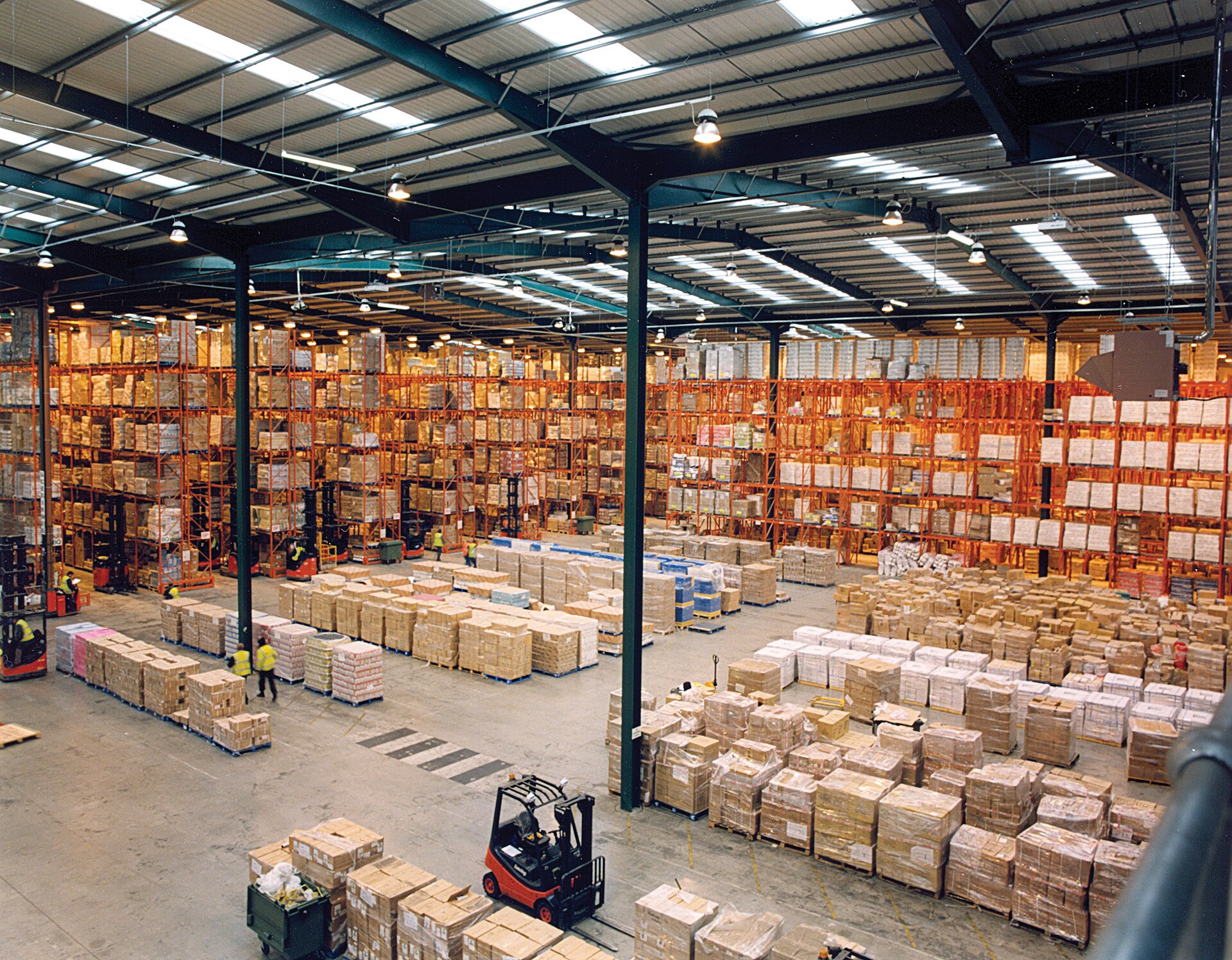
The form: two upright frames and pairs of horizontal beams — the classic orange-and-blue pallet rack. One slot holds one pallet. A standard bay is about 2.7 m wide and commonly carries two or three pallets side by side per level; the depth matches your pallet (about 1.0–1.2 m), so the pallet sits on the front and back beams with a small overhang at most. Levels stack from the floor — the floor pallet counts as the first level — up to whatever your forklifts can reach, usually four to six levels in a normal building.
In and out is forklift work, in whole pallets. A pallet comes off the truck, gets wrapped and labelled, and a forklift lifts it into a slot; it leaves the same way, either as a full-pallet order or down to a picking location as a refill. Nobody opens cartons up on the beams. That is why beam racking pairs with storage locations in the system: big, quiet, rarely visited, and always handled in pallets.
In Docklify this split is built into the location itself: when you create locations in WMS → Locations, the Location Type field takes picking, storage, staging or dock, and the type drives the rules that follow — storage locations hold pallets only, while order picking runs against picking locations. Build your beam-rack slots as storage from day one, and put-away and replenishment will treat them as the reserve they are, instead of as slow picking faces.
Small parts and each picking: shelving and flow racks#
The form is the opposite of a pallet rack: shelf boards instead of beams, slots the size of a shoebox instead of a pallet. Steel shelving units stand about 2 m tall with four to six boards; each board divides into bins or carton slots, one slot per SKU. Flow racks are the tilted cousin: shelves slope gently on roller tracks, cartons are loaded from the back and slide forward, so the front carton is always the oldest one and a picker never reaches into an empty hole. Both forms live at hand height — roughly knee to eye level — because people, not forklifts, do the work here.
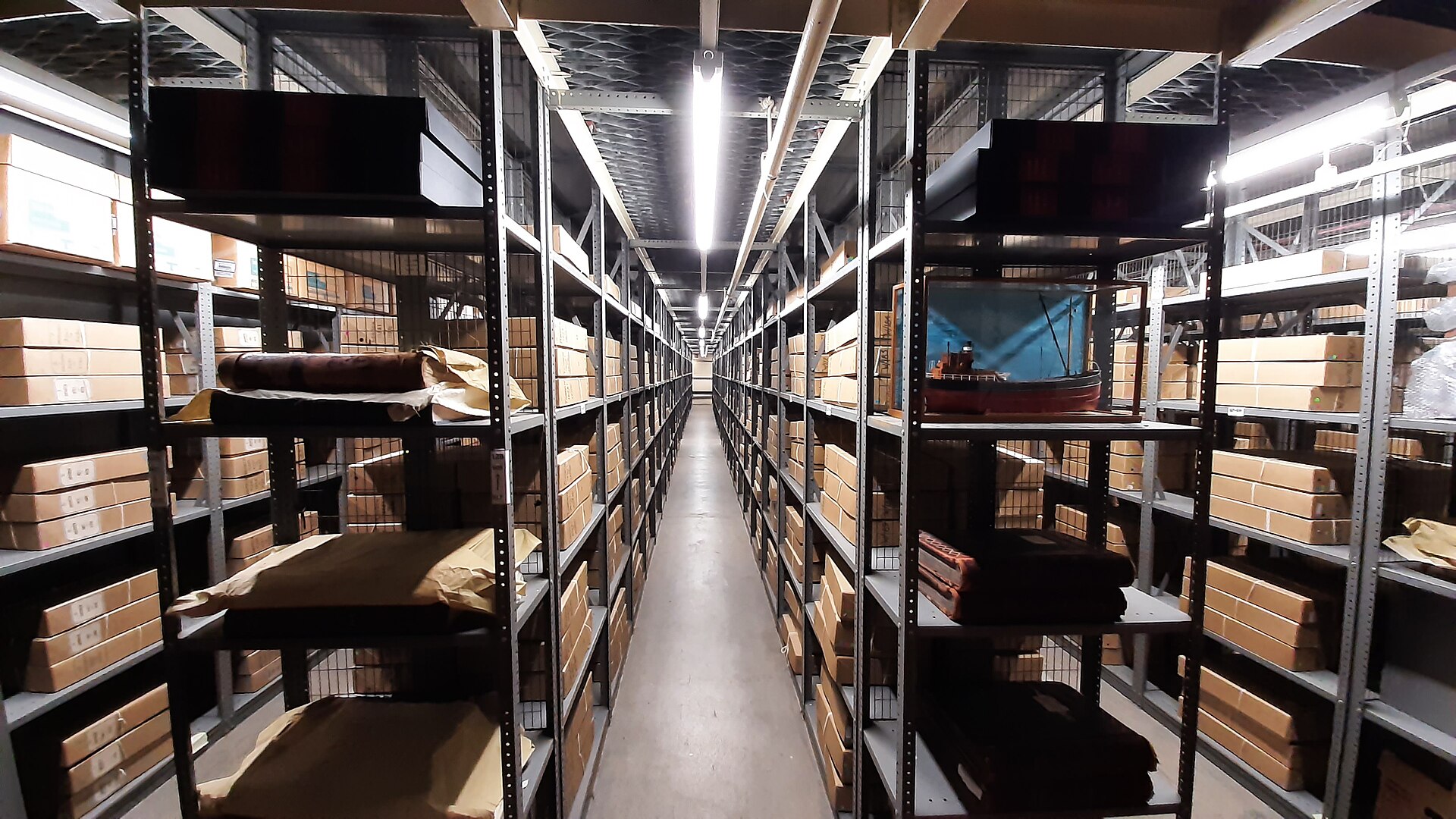
Slot size follows the goods and the order pattern. A fast SKU that ships ten pieces a day earns a wide slot or a whole flow lane; a slow SKU that ships one piece a week gets a single small bin. In and out is by hand, in eaches: the picker takes two phone cases from the front of the slot, the count drops, and nobody touches a pallet until refill time. Keep one SKU per slot as a hard rule — the moment two SKUs share a bin, wrong-item picks start, and they start quietly.
In Docklify these shelves are picking locations, and the refill behind them runs as replenishment tasks (WMS → Replenishment tasks): when a picking slot drops to its low-water level, a task brings stock down from the storage location that holds the reserve. Put-away plays its part too — when goods are received, the system suggests two or three locations for each load based on your put-away rules, and the location actually used is recorded even when it differs from the suggestion. Small parts suggested into shelving, pallets suggested into beam slots: the suggestion only works if each category was set up in its own form first.
- Heavy small parts (tools, fittings, batteries) go on the low boards; light, bulky small parts (foam, plush, packaging) go high. Shoulders and backs decide this, not the alphabet.
- Labels face the aisle, one label per slot, showing the SKU and the slot code together. A picker reads both in one glance and scans the slot, not the goods, to confirm.
- On flow racks, load from the back aisle and pick from the front aisle. If both sides are the same aisle, loading and picking will fight all day.
- Count small parts by weight for bulk hardware: a scale count of screws or bolts beats counting by eye, and the slot card should say how many pieces make a kilogram.
Garments: hanging or folded — decide per style#
Garments are the category where the storage form changes the product itself. Hanging storage — rails at one or two heights, garments on hangers with a finger of space between them — suits suits, dresses, coats and anything that creases or carries its shape on a hanger in the shop. The rail is the slot: a location might be one rail section of 1–2 m, holding a few dozen pieces of one style, one colour run in size order. Goods arrive hanging from the factory or are hung once at receiving, and they leave hanging, straight into a garment bag or a hanging rail in the truck.
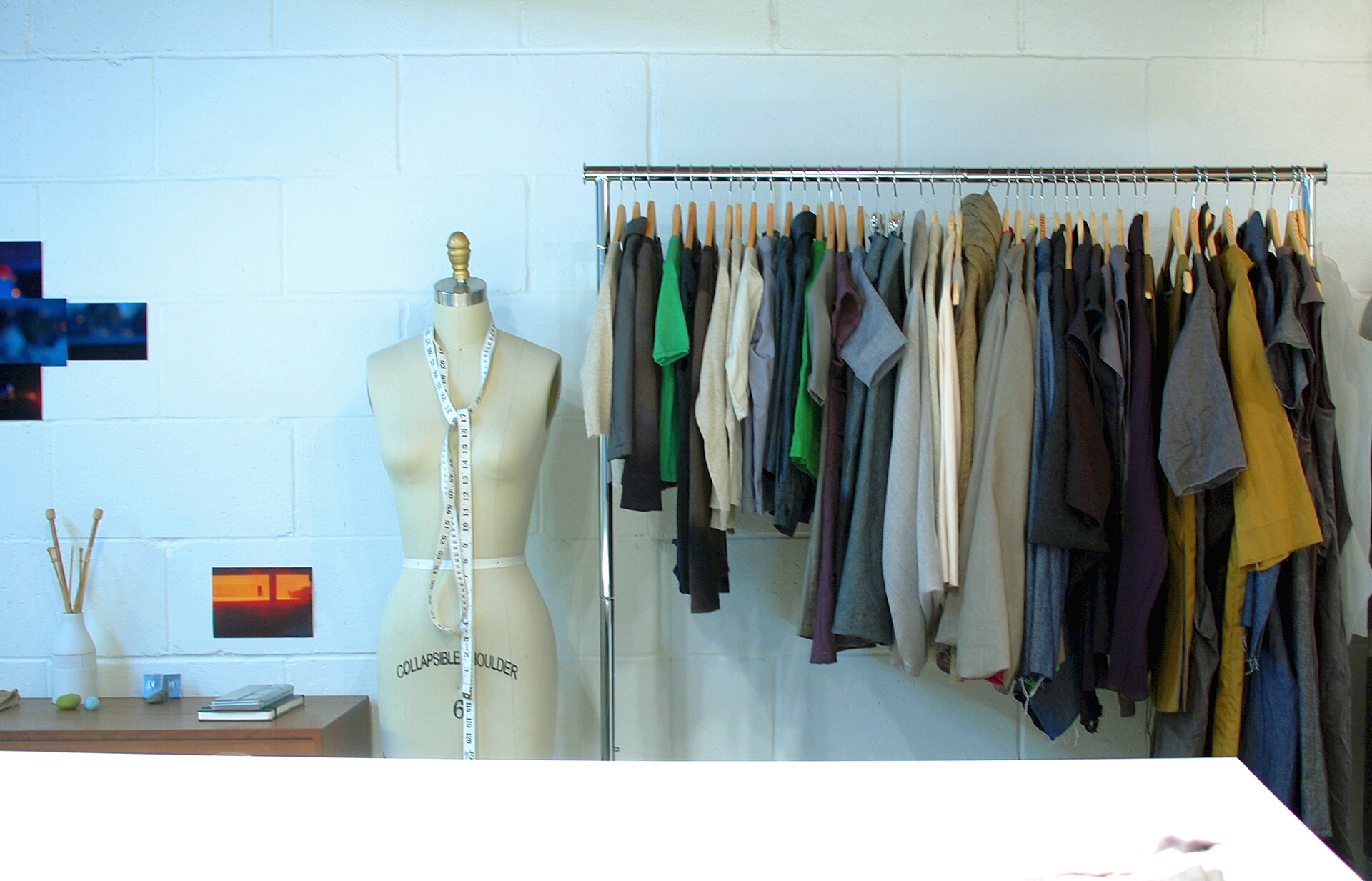
Folded storage suits T-shirts, knitwear, jeans and basics that ship in polybags: flat-folded on shelving boards or in cartons, stacked by size with the size label facing out. It packs two to three times denser than hanging, but every fold is a crease risk and every restack is labour. The practical split most apparel warehouses use: fashion and formal pieces hang, basics fold, and seasonal stock folds in cartons up in pallet racking until its season comes. In and out differs too — hanging picks are counted by sliding hangers, folded picks are counted from the stack, and returns of garments need a look-over (stains, smells, tags) before they go back to either form.
Long materials: cantilever racks, open at the front#
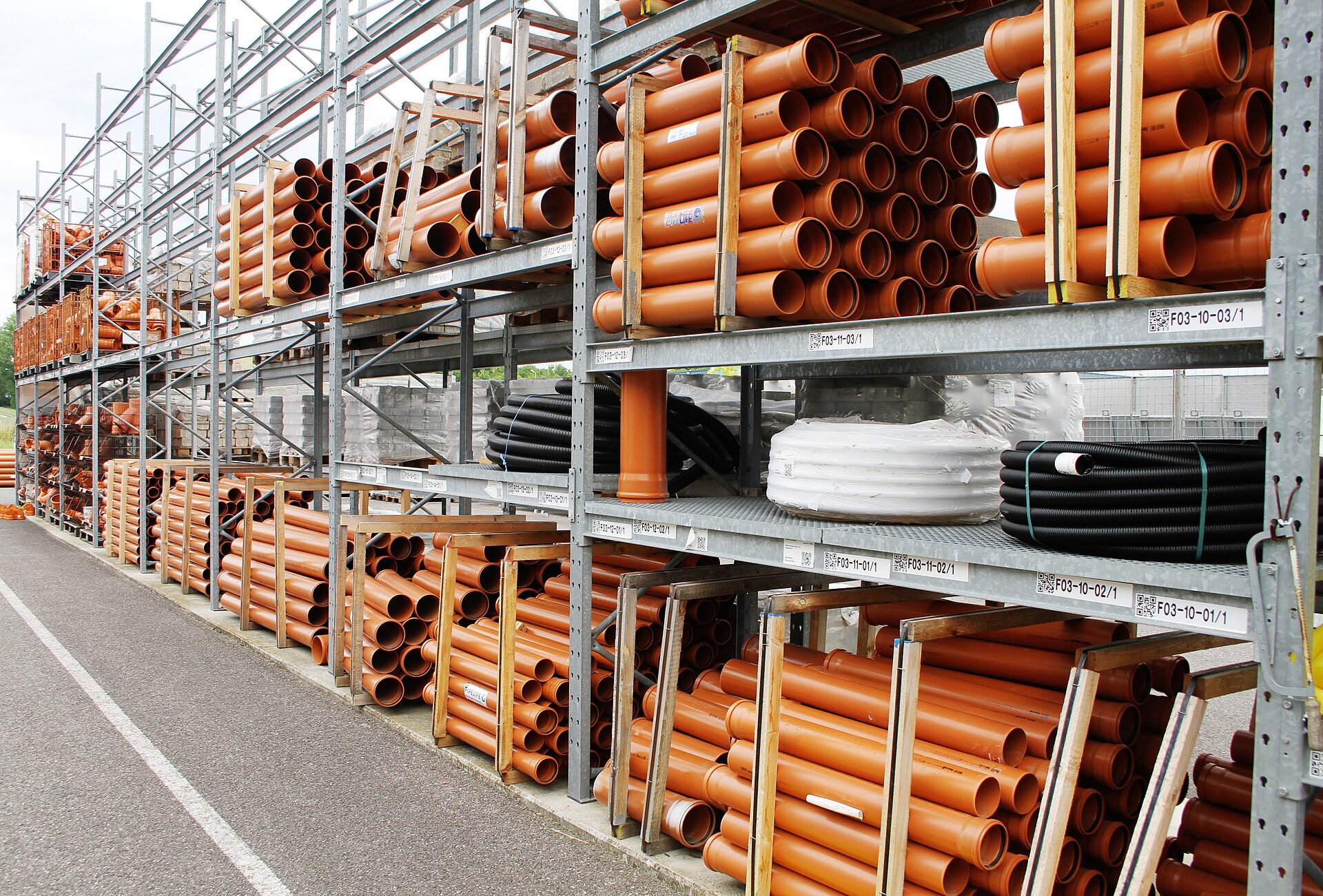
Pipes, timber, steel profiles, ladders and rolls of material share one problem: they are longer than any pallet. The cantilever rack solves it by removing the front uprights. A central column (single-sided against a wall, double-sided as an island) carries horizontal arms that stick out like branches; long goods rest across two or more arms, supported along their length instead of sagging between two beams. Arm levels adjust like beam levels, and the slot length is simply the length of the row — a 6 m pipe and a 3 m pipe can share one row in marked sections.
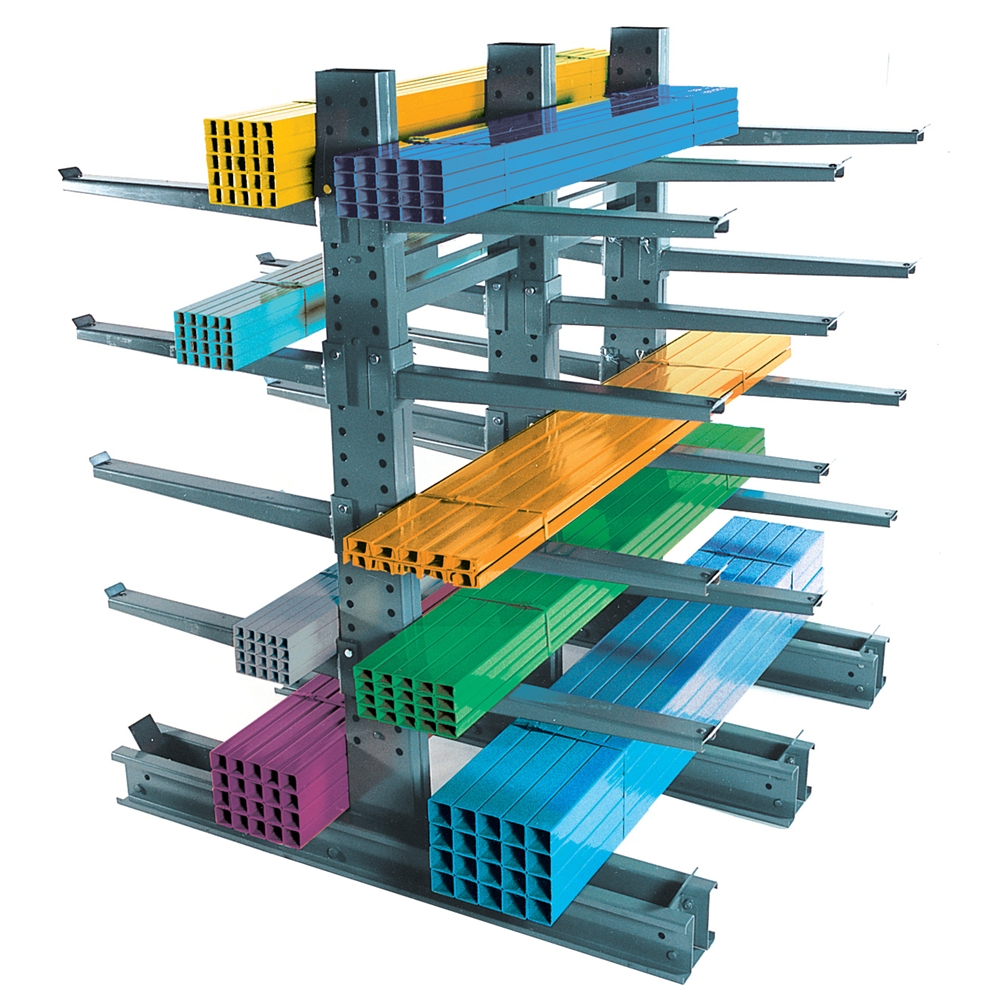
In and out happens from the side, along the row. A forklift with long forks, a side-loader, or a crane for the heaviest bundles travels parallel to the rack and slides the bundle on or off the arms — never through the front, because there is no front opening tall enough for a swinging 6 m load. End stops or slightly up-tilted arms keep round stock from rolling off, and bundles are strapped before they move. Count by bundle and by piece inside the bundle card: long goods are rarely counted stick by stick, which is exactly why the bundle label has to say how many sticks it holds.
High-value goods: a caged area, small and watched#
Phones, watches, jewellery, small electronics and anything else that walks away easily does not belong on open racking, however neat the rack is. The form is a cage: floor-to-ceiling mesh panels around a small footprint of shelving or low pallet racking, one lockable door, often within sight of the office or a camera. Slots inside are small on purpose — a cage location holds a few cartons, not a week of stock — so every movement in and out is a deliberate, countable event. Heavy or bulky high-value goods that cannot be caged (a premium TV, for example) get the nearby version: the bays closest to the office, wrapped, and counted daily.
In Docklify the cage exists twice — once in steel, once as data. A location can belong to Location Groups (WMS → Location Groups): give the cage locations a high-value group, and the same locations can also sit in their zone for routing and in a client-dedicated group when the goods belong to one client, because one location can belong to several groups at once. Put-away rules then send high-value products only to locations in that group, and a picker task for a cage location is easy to spot — and to restrict — in the task list. When you review where value sits in the building, WMS → 3D Warehouse lets you highlight locations by zone and by type and open any location to see its live stock.
The working discipline inside the cage matters more than the mesh: two people count high-value picks, the door is locked whenever nobody is inside, and nothing leaves the cage on a verbal say-so — every unit leaves on a task. Small footprint, small slots and a short list of people with the key: that is the whole design. If the cage keeps overflowing, the answer is not a bigger cage; it is faster counting and faster dispatch of what already sits inside.
| Category | Rack form | Slot size | In and out |
|---|---|---|---|
| Full pallets | Beam pallet racking | One pallet per slot, bay about 2.7 m wide | Forklift, whole pallets only |
| Small parts | Shelving or flow rack | Shoebox-size bins, one SKU per slot | By hand, in eaches, from picking locations |
| Garments | Hanging rails, or shelving for folded stock | One rail section (1–2 m) per style run | Counted on hangers, or from folded stacks |
| Long materials | Cantilever rack | Row sections as long as the goods | From the side, by forklift or crane, in bundles |
| High-value goods | Caged area with shelving, one locked door | Small slots, a few cartons each | On a task only, counted by two people |
One last warning, because every warehouse tries it once: do not force a category into the wrong form to save a rack purchase. Long pipes laid across pallet beams bend, roll and take out the pallet below them. Small parts poured onto a pallet slot take ten minutes to pick instead of ten seconds. Garments crushed under cartons come back as returns. The rack you save on is always cheaper than the goods, the labour and the returns you pay with later.
Docklify features used in this article#
- Location types — WMS → Locations: Location Type (picking / storage / staging / dock) is set on the location and drives put-away, picking and staging rules; storage locations hold pallets only.
- Put-away suggestions — on receiving, the system suggests 2–3 locations per load from your put-away rules, and the location actually used is recorded.
- Replenishment tasks — WMS → Replenishment tasks: when a picking location hits its low-water level, a task refills it from the storage location holding the reserve.
- Location Groups — WMS → Location Groups: group locations by rule (high value, cold storage, one client dedicated); one location can belong to several groups at once.
- 3D warehouse view — WMS → 3D Warehouse: highlight locations by zone and by type, and open any location to see its live inventory.